


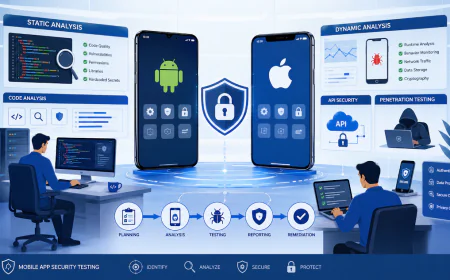













OWASP Mobile Application Security Testing Guide (MASTG): Complete Guide
Learn how the OWASP MASTG helps test mobile application security, including MASVS, automated testing, manual testing, security practices, tools, challenges, and testing methodology.

Introduction
Mobile applications have become an essential part of modern digital businesses. Banking, healthcare, e-commerce, education, SaaS, government, and financial services increasingly depend on Android and iOS applications to deliver critical services and process sensitive information.
At the same time, mobile applications have become an important target for attackers.
A mobile application may contain authentication mechanisms, payment functionality, personal information, API credentials, session tokens, cryptographic keys, business logic, and access to sensitive backend systems. A weakness in any of these areas can potentially expose users, organizations, and connected services to security risks.
This makes mobile application security an important component of modern cybersecurity.
Security testing of mobile apps involves more than just detecting the presence of known weaknesses in the application. Testers often need to go deeper and analyze the application code, data stored on the device, authentication mechanisms, cryptographic functions, network communications, interactions with the platform, privacy controls, application resiliency, and all the APIs involved.
This is where the Open Worldwide Application Security Professionals (OWASP) Mobile Application Security Testing Guide (MASTG) comes in handy.
MASTG is basically a comprehensive guide to mobile application security testing and reverse-engineering. In addition to the MASTG, the current OWASP Mobile Application Security Project includes the Mobile Application Security Verification Standard (MASVS) and Mobile Application Security Weakness Enumeration (MASWE). All three documents together constitute a solid basis for testing and verifying the security of applications in modern mobile platforms.
The current version of the MASTG, v2.0.0 represents a major revision and update of the project. According to OWASP, MASTG “describes technical procedures for verifying that the controls described in MASVS are implemented correctly and guides testers performing assessments that fall under the scope of MASWE and other related standards.”
In this guide, one will learn what OWASP is, what mobile application security comprises, how exactly the MASTG framework functions, how an organization can apply it while testing mobile apps for security issues, what testing tools are mostly applied, what challenges are typically encountered while checking apps for vulnerabilities, and how such a framework fits into an overall cybersecurity and application security program.
Table of Contents
-
What is OWASP?
1.1 What is Mobile Application Security? -
Securing Mobile Applications Using the OWASP MASTG Framework and Guidelines
-
Introduction to OWASP MASTG: The Standard for Mobile App Security Testing
-
How to Automate OWASP MASTG Compliance Using Security Tools
-
OWASP MASTG Explained: Why It Is a Testing Manual and Not a Verification Standard
-
Key Reasons to Perform Mobile Application Testing
-
Top OWASP MASTG Practices for Building Secure Mobile Apps
-
Essential Security Testing Tools Recommended by OWASP MASTG
-
Typical Challenges in Mobile Application Security Testing
-
Relationship Between MASTG, MASVS, MASWE and Mobile VAPT
-
Mobile Application Security Testing Methodology
-
Common Mobile Application Security Risks
-
How IntelligenceX Supports Mobile Application Security
-
Conclusion
-
Frequently Asked Questions
What is OWASP?
OWASP stands for the Open Worldwide Application Security Project. The main objective of this international nonprofit organization is to increase software security by developing open standards, methods, tools, documentation, education, and research resources.
The Open Worldwide Application Security Project is popular among developers, security testers, penetration testers, application security teams, architects, auditors, and organizations that identify and mitigate application security issues.
Among other resources, OWASP develops and maintains several publicly available documents and standards, including:
• OWASP Top 10,
• OWASP Application Security Verification Standard (ASVS),
• OWASP Web Security Testing Guide (WSTG),
• OWASP Mobile Application Security Verification Standard (MASVS),
• OWASP Mobile Application Security Testing Guide (MASTG),
• OWASP API Security Top 10,
• OWASP Software Assurance Maturity Model (SAMM).
The mentioned above documents and tools facilitate the organization’s application security efforts and enable the consistent identification and mitigation of application security weaknesses. OWASP Mobile Application Security project focuses on mobile applications by developing a security standard, weakness enumeration, testing guide, and other materials relevant to mobile application security.
Why OWASP Matters for Cybersecurity
Modern applications are exposed to an ever-evolving threat landscape. Security teams need the reassurance of effective methodologies to rely on beyond individual testing initiatives and preferences.
The resources provided by OWASP contribute to a security team’s ability to design repeatable application security processes.
For organizations that provide cybersecurity services, the use of OWASP methodologies can create a common technical reference for testing, assessment, findings, and remediation guidance.
What is Mobile Application Security?
The term mobile application security covers secure development practices, controls, and technologies for protecting mobile apps, data, users, and related resources from being attacked, damaged, misused, and exploited.
It includes security aspects of the application itself running on a mobile device as well as the backend ecosystem supporting the application.
Therefore, a mobile application security assessment can include the following areas:
- Android applications
- iOS applications
- Application’s source code
- Android or iOS application package
- Application data
- Authentication mechanisms
- Authorization mechanisms
- Cryptographic implementation
- Network communication
- APIs (application programming interfaces)
- Platform interactions
- Webviews
- Deep links
- Push notifications
- Third-party libraries
- Permissions
- Privacy features
- Runtime application self-protection
- Backend application programming interfaces (APIs)
The key point is that the mobile app is not separated from the rest of the technology stack; it should be viewed as one system. Hence, the threats and vulnerabilities go beyond the application itself and its direct components, such as databases, authentication systems, and servers. This is a common misconception when discussing mobile application security.
In reality, most mobile applications are connected to backend APIs and cloud services. According to OWASP, the task of testing remote endpoints is not covered by MASTG, and additional resources, such as the OWASP Web Security Testing Guide, must be used to cover the necessary steps for server-side testing.
The difference is essential to understand while developing the complete test plan for mobile application security testing.
Securing Mobile Applications Using the OWASP MASTG Framework and Guidelines
The Open Worldwide Application Security Program (OWASP) MASTG contains technical recommendations that can help security analysts evaluate programs in a standardized manner.
In particular, the current OWASP Mobile Application Security Project has several interrelated parts, namely:
OWASP MASVS
• The Mobile Application Security Verification Standard (MASVS) lists all security requirements and controls that should be implemented in order to ensure the safety of mobile apps.
According to the standard, MASVS is an industry-wide reference for mobile application security. In other words, it is intended for software architects and developers who want to design and develop safe apps and those who want to test them.
OWASP MASTG
The Mobile Application Security Testing Guide is the reference material that allows security professionals to evaluate controls defined in MASVS.
The document describes the techniques, provides the knowledge base, test cases, demos, tools, and guidance needed to perform mobile application security testing effectively.
OWASP MASWE
MASWE defines a common framework for classifying and describing mobile application security weaknesses.
Thus, it connects weaknesses identified during the testing process with the entire MAS project.
OWASP MAS Checklist
The MAS Checklist cross-references MASVS controls to MASTG test cases, providing an invaluable overview for security teams that want to ensure they have performed a certain level of assessment coverage. OWASP recommends it for security assessments, pentests, learning, and structured coverage of the mobile attack surface.
The four components are meant to complement each other, not replace one another. To give you a rough idea of their relationship, here is a simple breakdown:
MASVS: defines what should be secure
MASWE: defines relevant weaknesses
MASTG: defines testing methods
MAS Checklist: organizes coverage
The difference between the components becomes especially significant when it comes to MASTG compliance.
Introduction to OWASP MASTG: The Standard for Mobile App Security Testing
The OWASP MASTG tool can be mistakenly referred to as some standard in everyday conversation, but technically speaking, it is more of a guide to testing and methodology of testing procedures. It is important to understand that the OWASP is an acronym that stands for Open Worldwide Application Security, which develops and maintains the Mobile Application Security Testing Guide (MASTG) as the de facto standard for testing mobile apps’ security. This tool is regarded as a thorough guide to mobile application security testing and reverse engineering practices.
The MASTG covers the following areas:
• Static testing
• Dynamic testing
• Reverse engineering
• Network security testing
• Authentication testing
• Authorization testing
• Data storage testing
• Cryptography testing
• Testing platform interaction
• Code quality
• Resilience
• Privacy
In addition, the current MASTG contains atomic tests that can be used to verify particular security and privacy threats and weaknesses. Notably, each test is accompanied by the overview, procedures, what to look for, and how to test instructions in-depth. As such, the MASTG can be used to transition from general security requirements to detailed technical testing procedures.
Why MASTG Is Important for Mobile Application Security
Mobile applications process sensitive information that can be highly valuable to attackers. The types of information that can be found on mobile apps include:
• Customer identity
• Authentication tokens
• Financial information
• Healthcare information
• Location information
• Personal information
• API credentials
• Business information
• Payment information
Having a vulnerability that can expose any of the above-listed information can have adverse effects on the targeted mobile app beyond the device being compromised. For instance, if a mobile application is found to process critical authentication information, the risk associated with the vulnerability may affect the application’s backend systems. In addition, the risk associated with insecure API authentication was enough for the attackers to manipulate requests and gain access to data that was not intended to be accessed by unauthorized entities. MASTG helps testers perform these assessments by providing security testing guidelines.
How MASTG Fits Into Mobile VAPT
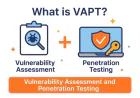
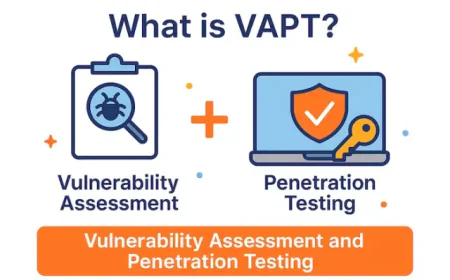
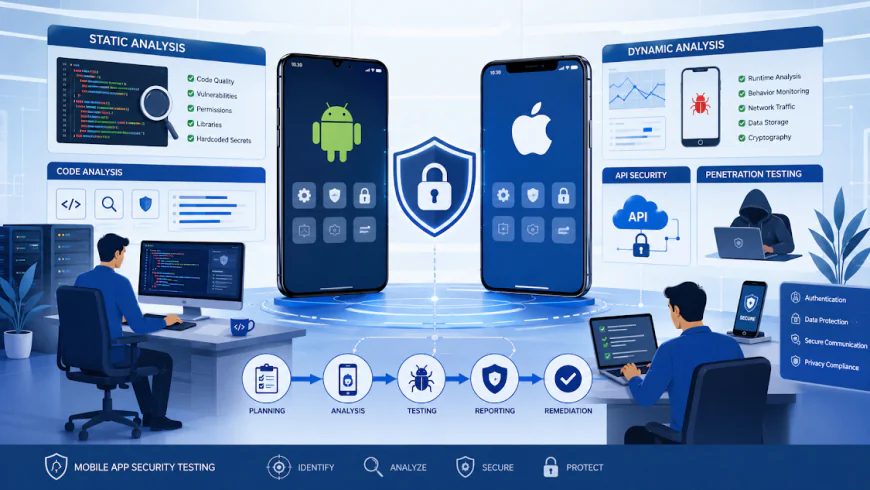
Mobile application security testing is often performed as part of a VAPT (Vulnerability Assessment And Penetration Testing) engagement.
A mobile VAPT assessment may include:
- Application package analysis
- Static analysis
- Dynamic analysis
- Runtime testing
- Authentication testing
- Authorization testing
- Cryptographic analysis
- Local storage testing
- Network testing
- API testing
- Business logic testing
- Reverse engineering
- Tampering and resilience testing
The MASTG provides guidance on the mobile application part of such an assessment.
However, a comprehensive assessment of a mobile application may require testing beyond the client application, including the backend APIs, web services, cloud components, authentication infrastructure, and business logic.
This is why a mature cybersecurity services program should incorporate mobile application security testing into a broader application and API security testing strategy.
How to Automate OWASP MASTG Compliance Using Security Tools
Automation can provide decent advantages for the speed and reliability of the process of the mobile application security testing.
But it is essential to differentiate testing process automation and the automatic verification of the application’s security.
The documentation of the tools provided by OWASP clearly states that MASTG tools “allow testers to execute test cases…such as static and dynamic analysis, and network interception…that should be performed with care, as tools can produce false positives and negatives” .
Here’s an example of the process that seems fit for automation:
Static Analysis
Static analysis tools examine the code of the analyzed application or the binaries of the target platform, without actually executing the code.
The main objectives include the identification of:
- Hardcoded secrets,
- Insecure APIs,
- Inadequate cryptography,
- Vulnerable dependencies,
- Dangerous configurations, or other
- Insecure features;
Software Composition Analysis finds
any vulnerable third-party software or libraries that may be embedded in the targeted application. This method is particularly useful for the identification of indirect code inclusion vectors, such as third-party packages and libraries.
Dynamic testing evaluates the application’s behavior while it is running, enabling the security team to assess:
The application’s runtime behaviors
Network traffic
Authentication and session management;
Processing of sensitive data;
Inter-process communications;
Security controls;
Network interception analyzes network traffic to reveal insecure communication, such as:
clear-text protocols,
insecure TLS configuration,
inadequate certificate validation or pinning,
exposure of sensitive information in plaintext;
MASVS network security controls (see the OWASP Mobile Security Testing Guide) describe in detail the secure network traffic patterns and endpoint controls, including certificate pinning.
CI/CD Integration
For organizations that want to embrace DevSecOps, it is possible to integrate selected mobile application security testing activities into the CI/CD toolchain.
For example, the following CI pipeline could be designed as follows:
Developer Commit > Build > Static Analysis > Dependency scan > Security Tests > Build Validation > Deployment
This way, it becomes possible to reveal and remediate the most critical issues earlier in the development lifecycle.
But not all the MASTG activities are suitable for automation, and some require manual effort.
The same applies to security testing, where manual testing is required for effective business logic testing, the assessment of complex authentication procedures and run-time behaviors, and the evaluation of potential exploitability of the identified issues.
OWASP MASTG Explained: Why It Is a Testing Manual and Not a Verification Standard
This distinction is critically important.
The MASVS is the standard and the MASTG is the testing guideline.
OWASP clarifies that MASVS defines the requirements for industry standard security assessments of mobile applications, and MASTG defines the technical processes for verifying each of the MASVS controls.
One way to think about the difference between the two is:
MASVS answers the question “What security controls should the mobile application satisfy?”
And, MASTG answers the related question “How can we verify that the controls are implemented correctly?”
For example, suppose one of the controls in MASVS is to ensure that the application’s network communication is secured.
Then, the MASTG will have a technical description that the penetration tester can use to confirm that the application’s network communication is secured.
By having separate documents it eliminates the confusion that some organizations have when they treat the controls in the MASTG as the criteria for passing a security assessment.
The objective is not only to state that the application is MASTG compliante
but rather to identify the relevant MASVS profile and then perform adequate tests to actually confirm that all relevant controls are indeed addressed.
As OWASP assessment guidance states, MASTG is a testing guide that covers testing of mobile apps security and references test cases to MASVS controls.
Key Reasons to Perform Mobile Application Testing
Mobile application testing should be an integral part of any organization’s cybersecurity strategy, especially for those that utilize mobile applications for their operations.
Protect Sensitive User Data
Mobile applications can store a lot of sensitive and personal information for the user.
Security testing can help ensure that this information is not leaked or accessed by unauthorized sources.
Identify Authentication Weaknesses
A mobile application can have weak authentication mechanisms, allowing attackers to impersonate other users and gain access to their data or privileges.
Testing can help identify weaknesses in the application’s authentication processes, such as session management, credential storage, biometric authentication, and other security measures.
Validate Authorization Controls
Authentication and authorization are two different concepts, with the former being responsible for identifying a user and the latter being responsible for assigning them privileges.
Testing can help ensure that the application’s authorization system does not have flaws, such as horizontal or vertical privilege escalation.
Protect API Communication
A mobile application’s backend API must be protected since it contains the application’s core logic and data.
A secure mobile application should protect its API communication and ensure that the server-side components have the necessary security measures.
Identify Insecure Data Storage
A mobile application can store a lot of data locally on the user’s device, such as databases, preferences, files, caches, logs, keychains, keystores, and many others.
Security testing can help ensure that the data stored locally is not sensitive or protected properly.
Detect Cryptographic Weaknesses
A lot of mobile applications utilize cryptography to protect the data they store locally or transmit over the network.
However, if implemented incorrectly, cryptographic protections can introduce weaknesses that can be used to compromise the data or the application itself.
Reduce Business Risk
A vulnerability in a mobile application can be used to gain access to a larger business network and sensitive infrastructure.
By performing regular security assessments, the risk of a successful attack can be greatly reduced.
Support Compliance and Customer Trust
Organizations that operate in a highly regulated industry may be required to ensure that their mobile applications are not vulnerable and that the necessary security controls are implemented.
Mobile application security testing can be a part of a larger security assurance program.
Top OWASP MASTG Practices for Building Secure Mobile Apps
Security should be ingrained in the application’s development lifecycle rather than being tacked on at the end.
Protect Sensitive Data
Sensitive data should not be stored in systems unnecessarily. When it is necessary to store data locally, platforms’ security mechanisms and cryptographic protections should be used to store data.
Use Strong Authentication
Mobile apps should implement secure and risk-appropriate authentication mechanisms. Wherever possible, organizations should consider using phishing-resistant authentication, secure session management, biometrics, and strong credential policies for their mobile solutions.
Implement Strong Authorization
Apps should enforce authorization decisions based on the server’s knowledge and not the client’s knowledge.
Secure Communication
Apps should use secure communication protocols and ensure that the server’s identity is properly validated.
Protect Cryptographic Keys
Cryptographic keys should be managed using the appropriate platform security mechanisms instead of being hard-coded in apps’ source code.
Minimize Sensitive Logging
Apps should refrain from logging credentials, tokens, personally identifiable information (PII), and other sensitive data.
Secure Third-Party Dependencies
Developers should understand what third-party libraries they are including in their apps and regularly evaluate them for known weaknesses.
Integrate Security Testing In Devscope
Security testing should be integrated into the development lifecycle rather than deferred to the end.
Test Android And iOS
Organizations using multiple platforms should test both Android and iOS for platform-specific issues. Testing on one platform and assuming there are no differences on another could cause organizations to miss out on crucial platform-specific security assessments.
Do Both Automated And Manual Testing
While automated testing offers speed and consistency, manual testing contributes much-needed context and critical thinking. The best mobile app security testing practices use both.
Essential Security Testing Tools Explained By OWASP MASTG
Testing mobile applications involves many different security assessment techniques and technologies. Mobile application security testing usually involves some combination of static analysis, dynamic analysis, reverse engineering, network traffic analysis, instrumentation, and other platform-specific technologies. OWASP MASTG’s Tools chapter contains an extensive list of tools categorized according to the type of testing they can help with, while also emphasizing that tools should serve the assessor and not the other way around (mas.owasp.org).
MobSF
The Mobile Security Framework (MobSF) is an open-source framework that helps with automated mobile app security analysis. It is a comprehensive tool that tackles both static and dynamic analysis, and it can be used to conduct various security assessments to detect potential weaknesses during the evaluation of Android and iOS apps. MobSF can help to quickly discover potential security issues before proceeding to more detailed manual testing during the initial stages of a mobile app assessment.
JADX
JADX is a popular tool for inspecting Android apps. It enables reverse engineering by decompiling Android applications’ DEX files into Java source code.
Security assessors can use it to get insight into the apps’ code, such as
application logic,
API endpoints,
authentication mechanisms,
security features,
third-party libraries,
and other sensitive areas.
apktool
Apktool is a toolset for reverse engineering Android application packages. Apktool can help security testers decode and decompile Android apps to further inspect certain resources and the app’s components.
Frida
Frida is a dynamic instrumentation toolkit that lets security assessors interact with running processes to inspect and modify their behavior. Frida can be used to explore processes running on the device during a penetration testing assessment.
Specifically, it can help with exploring function calls and execution flow, inspecting the run-time data model for sensitive information, checking authentication flows, examining cryptographic functions, certificate pinning, and similar security features.
Objection
Objection is a runtime mobile security assessment framework that utilizes Frida to perform various tasks. Objection can be used to perform common mobile app security testing activities without writing custom Frida scripts.
Burp Suite
Burp Suite is a popular platform for testing web and mobile apps by intercepting and inspecting HTTP and HTTPS traffic.
As such, it can be used during a mobile application assessment to test and inspect the traffic sent to and from the application’s backend. In the context of mobile app security testing, Burp Suite can be used for testing authentication, authorization, API endpoints, sessions, inputs, and other business logic features. As such, this tool is often used when a mobile application assessment overlaps with API security testing.
Wireshark
Wireshark is a packet analysis tool that allows assessors to inspect individual packets sent over a network. It can be used for inspecting traffic sent to and from the application under review to troubleshoot its network-related features.
Ghidra
Ghidra is a software analysis framework that can be used to examine compiled binaries. Ghidra can be used for more in-depth analysis of native libraries and similar components during advanced mobile application assessments.
Android Studio
Android Studio is an official integrated development environment (IDE) for developing and testing Android applications. Android Studio can be used for assessing Android apps by security testers by running applications in testing environments to observe and analyze their behavior.
Xcode
Xcode is an Apple IDE used for developing applications for iOS and macOS. As such, it can be used to analyze and test iOS apps during a security assessment, including running unit and stress tests for the application under review.
There are many different tools that can be used during a mobile application assessment, and the choice of the tool depends on the application, the platform, the testing goals, and many other factors. OWASP’s MASTG Testing Tools chapter contains more information on selecting tools for individual tasks. (mas.owasp.org)
Static Analysis vs Dynamic Analysis
One of the fundamental distinctions in mobile application security testing is between static and dynamic analysis.
Static Analysis
Static analysis examines an application without executing it.
Security professionals may analyze:
-
Source code
-
Decompiled code
-
Application binaries
-
Configuration files
-
Manifest files
-
Dependencies
-
Embedded resources
Static analysis can help identify:
-
Hardcoded secrets
-
Insecure cryptographic implementations
-
Weak configurations
-
Dangerous permissions
-
Vulnerable libraries
-
Insecure coding patterns
Static analysis is particularly useful during the early stages of an assessment.
Dynamic Analysis
Dynamic analysis examines an application while it is running.
Testers can observe how the application behaves under different conditions and interact with its runtime environment.
Dynamic testing may evaluate:
-
Authentication
-
Session management
-
Network communication
-
Runtime security controls
-
Local data handling
-
Cryptographic operations
-
Platform interactions
-
Business logic
Dynamic analysis is particularly valuable because some vulnerabilities cannot be fully understood by examining application code alone.
Why Both Are Necessary
Static and dynamic analysis provide different perspectives.
Static analysis helps answer:
"What security-relevant functionality exists in the application?"
Dynamic analysis helps answer:
"How does that functionality actually behave when the application runs?"
Combining both approaches produces stronger mobile application security assessments.
Android vs iOS Security Testing
Although Android and iOS applications have similar security objectives, their architectures and platform controls differ.
Android Security Testing
Android applications are commonly distributed as APK or Android App Bundle formats.
Security testing may examine:
-
AndroidManifest.xml
-
Activities
-
Services
-
Broadcast Receivers
-
Content Providers
-
Intents
-
Local storage
-
Shared Preferences
-
SQLite databases
-
Keystore usage
-
Network Security Configuration
-
Native libraries
Security testers may also evaluate exported components, insecure intents, application permissions, deep links, WebViews, and runtime behavior.
iOS Security Testing
iOS applications have a different architecture and security model.
Testing may involve:
-
IPA packages
-
Application binaries
-
Keychain
-
Property lists
-
URL schemes
-
Universal Links
-
WebViews
-
App Transport Security
-
Native libraries
-
Inter-process communication
-
One of the fundamental distinctions in the test methods for mobile application security is the division of analysis types into static and dynamic.
Static Analysis
Static analysis refers to testing that does not require the application to be launched. Security analysts then review the application’s source code and other artifacts, including decompiled code, binaries, configuration files, manifests, dependencies, and embedded resources. Static analysis methods are helpful in discovering weaknesses such as hardcoded secrets, insecure algorithms, misconfigurations, risky permissions, vulnerable libraries, and other issues related to the source code and resources. Static testing is particularly useful in the early stages of the assessment.
Dynamic Analysis
Dynamic analysis is a type of testing that observes the system under test while it is running. The purpose of dynamic analysis is to evaluate the application’s behavior by interacting with its runtime environment and observing the resulting effects. The application’s authentication mechanisms, session management logic, network communications, runtime instrumentation, local data handling, cryptography, platform interaction techniques, and business logic can be examined during dynamic testing.
Testing is dynamic when it allows testers to ask particular questions about the program’s execution. Dynamic analysis is essential to testing because some issues can only be found when observing the application’s behavior.
Why Both Are Necessary
Static and dynamic analyses are two perspectives on the same process. Static analysis is used to answer the question, “What security-relevant functions does the application have?” In contrast, dynamic analysis tries to answer the question, “What do these functions do when executed?” Thus, both types of analysis should be used to obtain an accurate perspective on the application’s security.
Application Security Testing Considerations for Android and iOS
Even though there are similarities in testing the security features of apps running on Android or iOS, there are also significant differences. Android and iOS are both complex mobile operating systems, but they were developed by different companies and therefore have different architectures and security control implementations.
Android Security Testing
Android apps are distributed as APK or Android App Bundle files; security assessments should include analysis of AndroidManifest.xml, Activities, Services, Broadcast Receivers, Content Providers, Intents, local storage, SharedPreferences, SQLite databases, keystores, Network Security Configuration, and Native libraries. Analysis of exported components, unprotected intents, application permissions, deep linking, WebView, and runtime behaviors are also critical.
iOS Security Testing
iOS apps are distributed as IPA files; therefore, assessments should cover application binaries, Keychain, Property lists, URL schemes, App Transport Security, Universal Links, WebViews, Native libraries, Inter-Process Communication (IPC), and Secure storage. Both platforms have unique characteristics, and security professionals should not treat them as the same.
Secure storage
Security professionals should account for platform-specific controls rather than applying an identical testing methodology to both operating systems.
Typical Challenges in Mobile Application Security Testing
Mobile application security testing can be technically complex because applications interact with multiple layers of technology.
Here are some reasons why organizations want security testing for mobile applications:
Rapid Application Updates
Mobile applications can be regularly updated.
A security assessment conducted against one version may become irrelevant after several updates.
Organizations should consider building security testing into their Software Development Lifecycle rather than a one-time activity.
Third-Party Dependencies
Modern applications are frequently built using a variety of third-party software development kits (SDKs), libraries, analytics packages, authentication providers, and advertising networks.
A vulnerability in a third-party dependency can make an otherwise secure application insecure.
Obfuscation
Developers can employ application hardening techniques to make an application more challenging to reverse engineer and analyze.
While these techniques do not make an application inherently secure, they may add extra steps and complexity to the reverse engineering process.
Certificate Pinning
Certificate pinning can render some testing activities during security assessment more difficult and require additional testing instrumentation.
Root and Jailbreak Detection
Many applications can detect rooted Android devices or jailbroken iOS devices and may take countermeasures accordingly.
While this makes some testing activities more challenging, it also increases the overall security of the application under test.
Encrypted Data
Application data encryption at rest or in transit is often required to fulfill regulatory or organizational security requirements.
Testers need to verify that the encryption is implemented correctly and that the encryption keys are adequately protected.
Backend Dependencies
Most mobile applications are not standalone software products.
They are usually reliant on a variety of backend components such as:
• REST APIs
• Graph Query Language APIs
• Authentication services
• Cloud services
• Databases
• Third-party services
A seemingly secure mobile application can have serious security flaws in the supporting backend API. As such mobile application security testing should be conducted in parallel with Application Security and API Security assessments.
OWASP MASTG vs MASVS vs MASWE
These three resources are closely related but have different purposes.
Resource Purpose
MASVS Define security requirements
MASTG Provide technical testing guidance
MASWE Categorize security weaknesses
MASVS
MASVS defines the security controls that mobile applications should have.
It is the security verification standard of the Open Web Application Security Project (OWASP) Mobile Application Security.
MASTG
MASTG describes how the security controls can be tested.
It includes testing procedures, technical knowledge, examples, tools, and test cases.
MASWE
MASWE contains a list of potential weaknesses that can exist in a mobile application.
The three resources complement each other rather than contradicting or overlap with each other.
An assessment can be viewed as:
MASVS - Security Requirement
MASWE -Potential Weakness
MASTG - Testing Method
Complete Mobile Application Security Testing Methodology
When performing a professional mobile application security assessment, it is necessary to follow a particular methodology. It helps to perform the testing consistently and thoroughly. The methodology consists of several stages.
1. Define the scope
It is required to identify the following elements:
• Application: Android, iOS, versions
• APIs: backend systems, test accounts
• Environments: testing, production
• Rules of engagement
2. Information Gathering
It is necessary to collect information about the application architecture, technology stack, APIs, authentication mechanisms, third-party services, and permissions.
3. Static Analysis
The code of the application package and its decompiled version are analyzed.
4. Dynamic Analysis
The application is run and tested.
5. Network Analysis
The application’s traffic is inspected.
6. Authentication Testing
Authentication mechanisms are tested, including tokens, multifactor authentication, passwords policies, and session management.
7. Authorization Testing
It is tested if the application allows accessing data and functionalities that a user should not be able to access.
8. Data Storage Testing
It is checked if private data is protected.
9. Cryptography Testing
The cryptography of the application is evaluated.
10. Platform Interaction Testing
Testing deep links, URL schemes, intents, WebViews, inter-process communication, and platform permissions.
11. Resilience Testing
It is checked if the application’s protection layers against disassembly, re-packaging, debugging, and tampering work correctly.
12. Reporting
A report is compiled containing information about the discovered vulnerabilities: description, impact, evidence, and recommendations for fixing.
13. Retesting
After the vulnerabilities have been fixed, the security tester retests the application to ensure that the previously discovered issues are fixed.
Common Mobile Application Security Risks
There are many security weaknesses that can be present in a mobile application. Among them are:
Insecure Data Storage
Storing sensitive information on a device in an insecure way can lead to its unauthorized access and use.
Weak Authentication
Proper authentication is required to ensure that only authorized users can access the application’s resources. Weak authentication mechanisms can allow attackers to bypass the controls and gain unauthorized access.
Broken Authorization
A broken authorization mechanism can allow attackers to access data or functionality that they should not have access to.
Insecure Network Communications
Failure to properly protect application communications can lead to the hijacking of sessions, the theft of sensitive information, or the alteration of messages.
Hardcoded Secrets
If an application contains secrets embedded directly in its code, they can be extracted by attackers.
Weak Cryptography
An application with weak cryptographic controls can be vulnerable to attacks, even if other measures are taken to protect it.
Insecure WebView
WebView allows displaying web content inside the application but, at the same time, brings in potential attack vectors.
Improper Platform Usage
Improper use of the Android and iOS platform components can lead to the exposure of the application to attacks.
Vulnerable Third-party Components
Using third-party components that contain known vulnerabilities can undermine the security of the application as a whole.
Insufficient Resilience
An application that lacks resilience to reverse engineering, tampering, and other attacks can be more susceptible to compromise.
Integrating MASTG Into DevSecOps
Organizations involved in large-scale development and release of mobile applications need to ensure that security is embedded into all stages of the process.
A mobile application’s DevSecOps pipeline might look like this:
Code Commit - SAST - Dependency Scanning - Build - Mobile Security Testing - API Testing - DAST - Security Review - Deployment
With automated processes in place, it becomes possible to detect and flag down common vulnerabilities at earlier stages. Meanwhile, manual MASTG-based testing can be performed at specific intervals throughout the pipeline.
This way, the involvement of security teams is optimized without making them a bottleneck in the development process.
MASTG and Mobile Application VAPT
MASTG is particularly valuable during mobile VAPT engagements because it provides security professionals with structured technical guidance.
A mobile VAPT engagement may combine:
-
OWASP MASTG
-
OWASP MASVS
-
OWASP MASWE
-
OWASP API Security guidance
-
OWASP Web Security Testing Guide
-
NIST guidance
-
Platform-specific security documentation
This combined approach allows testers to evaluate both the mobile application and the systems supporting it.
For organizations seeking professional cybersecurity services, combining mobile application testing with API, cloud, network, and backend security assessments provides broader coverage of the application's attack surface.
Mobile Application Security Testing Lifecycle
A mature mobile application security program should not treat security testing as a single activity performed immediately before an application is released.
Instead, security should be incorporated throughout the Software Development Life Cycle.
A practical lifecycle can include:
Security Requirements
Security requirements should be established during the planning and design stages.
Teams should determine:
- What data the application processes
- Which users require access
- Which authentication mechanisms are required
- Which regulatory requirements apply
- Which APIs and backend systems are involved
- Which security controls need to be tested
Threat Modeling
Threat modeling can identify potential attack paths before development begins.
Teams can analyze:
- Data flows
- Trust boundaries
- Authentication points
- Sensitive assets
- External dependencies
- Potential attacker actions
Frameworks such as STRIDE and PASTA can help structure this process.
Threat modeling is particularly valuable because architectural weaknesses are generally less expensive to fix during design than after deployment.
Secure Development
Developers should implement security controls throughout development.
This includes:
- Secure authentication
- Authorization
- Secure storage
- Secure cryptography
- Secure network communication
- Input validation
- Dependency management
- Secure error handling
Automated Security Testing
Automated security checks can be integrated into CI/CD pipelines.
Depending on the technology stack, organizations can perform:
- SAST
- Software Composition Analysis
- Secret scanning
- Dependency scanning
- Static mobile analysis
- Automated security regression testing
Manual Mobile Security Testing
Automated tools cannot reliably identify every mobile application weakness.
Manual testing remains important for:
- Business logic
- Authorization
- Authentication flows
- Runtime behavior
- Complex API interactions
- Cryptographic implementation
- Reverse engineering
- Resilience controls
Pre-Release Assessment
Before a major production release, organizations can perform a comprehensive mobile security assessment using relevant MASVS requirements and MASTG testing guidance.
Continuous Security Testing
Security testing should continue after deployment.
New vulnerabilities, application updates, dependencies, APIs, and infrastructure changes can introduce new risks.
This makes continuous security testing an important component of modern cybersecurity.
How Intelligencex Supports Mobile Application Security
Organizations which are reliant on apps are not satisfied with standard automated vulnerability scanning and turn to more comprehensive mobile application security testing.
As of now IntelligenceX offers Mobile Application Security Testing for android and ios applications which are described as OWASP MASVS-aligned with proof and remediation provided.
Android and iOS Security Testing
Mobile application assessments can be performed on both android and iOS ecosystems.
Depending on the chosen scope, a mobile application penetration test can include:
- Application binaries
- Authentication
- Authorization
- Local storage
- Cryptography
- Network communication
- Platform interaction
- Reverse engineering
- Runtime instrumentation
- API interactions
- Security controls
- OWASP-Aligned Testing
IntelligenceX suggests that their mobile application penetration testing services are owasp masvs aligned.
This implies that there is an established framework for evaluating the security controls of a mobile application while maintaining flexibility in methodology according to the application architecture and risk profile.
Manual Security Testing
Manual analysis is an important aspect of mobile application security testing that cannot be achieved by relying on automated scanners.
It enables detection of business logic, authentication, authorization, runtime instrumentation, API interactions, and security control flaws that may be missed by automated tools.
Proof and Remediation
The purpose of a professional security assessment is not just to identify the presence of a vulnerability but also to provide proof of concepts, impact assessment, and remediation guidance.
The proof of concept demonstrates how a vulnerability can be triggered while also providing the vulnerability classification, impact, and potential remediation for application developers.
According to IntelligenceX, their mobile application security testing service includes proof and remediation while their more comprehensive penetration-testing services include retesting during remediation.
Mobile Security Within a Broader VAPT Program
It is important for organizations to consider their attack surface as an ecosystem where each asset complements the others, for instance, a mobile application may interact with APIs which reside on cloud infrastructure and require identity verification and data storage.
Testing one component without analyzing the security controls of the others may lead to overlooked attack vectors.
IntelligenceX has a comprehensive offensive security practice which includes web application, mobile application, network, cloud, IoT, OT, and AI/LLM penetration testing services.
This enables them to provide a truly integrated VAPT (vulnerability assessment and penetration testing) and cybersecurity services approach to help organizations optimize their attack surface defenses.
How MASTG Supports Compliance and Security Assurance
MASTG itself should not be treated as a certification framework.
Instead, it can support security assurance by providing structured technical testing guidance.
Organizations can use relevant MASVS requirements and MASTG testing procedures to establish evidence that mobile security controls have been assessed.
This can be particularly useful for organizations that need to demonstrate security due diligence to:
- Customers
- Enterprise buyers
- Auditors
- Regulators
- Security teams
- Business partners
However, organizations should always map mobile security testing to the specific regulatory or contractual requirement that applies to them.
MASTG and Security Testing Evidence
A strong mobile security assessment should produce evidence that is useful to both technical and business stakeholders.
Executive-Level Evidence
Business stakeholders generally need:
- Overall risk summary
- Critical findings
- Business impact
- Risk trends
- Remediation status
Technical Evidence
Development and security teams need:
- Affected component
- Vulnerability description
- Technical evidence
- Reproduction steps
- Severity
- Attack scenario
- Remediation recommendation
- Retest results
Compliance Evidence
Compliance teams may need:
- Scope
- Methodology
- Applicable requirements
- Assessment date
- Findings
- Remediation evidence
- Retest evidence
This separation makes the security assessment more useful across the organization.
Common Mistakes Organizations Make With MASTG
Treating MASTG as a Certification
MASTG is a testing manual, not a certification program.
Organizations should avoid marketing an application as simply "MASTG certified."
Instead, explain which security requirements were assessed and which testing procedures were performed.
Relying Only on Automated Tools
Automation improves speed, but it does not replace human analysis.
A scanner may identify a potentially insecure configuration but may not understand its business impact or exploitability.
Testing Only the Mobile Client
A mobile application frequently depends on APIs and cloud infrastructure.
Testing only the client can therefore leave significant attack paths outside the assessment scope.
Ignoring Business Logic
Business logic vulnerabilities can be particularly difficult for automated tools to identify.
Examples include:
- Unauthorized transactions
- Workflow bypasses
- Privilege escalation
- Account manipulation
- Excessive functionality
Treating Testing as a One-Time Activity
Mobile applications evolve continuously.
New releases, dependencies, APIs, and backend changes can introduce new vulnerabilities.
Security testing should therefore be integrated into the development lifecycle.
MASTG Testing vs Traditional Mobile Application Testing
Traditional mobile application testing often revolves around the QA criteria such as:
- Performance
- Compatibility
- Usability
- Stability
- User experience
However, testing an app for security has a completely different purpose. The main question here is whether an application can withstand attacks, such as:
- Unauthorized access
- Disclosure of confidential information
- Tampering
- Interception of communications
- Reverse engineering
- Exploitation of backend APIs
- Modification of application’s behavior
In other words, functional testing assures that an application does what it is supposed to do while security testing assures that it does not do anything that it should not. Both are equally important for a mobile development program that wants to achieve long-term success.
Building a MASTG-Aligned Mobile Security Program
Organizations can incrementally develop their mobile security capability:
Level 1: Basic Security Testing
Getting started with:
• Dependency Scanning
• Static Analysis
• Secret Detection
• Basic Authentication Testing
• Secure Storage Checks
Level 2: Structured Security Assessment
Building on Level 1 with the addition of:
• MASVS-based Requirements Definition
• MASTG-based Test Scenarios
• Manual Testing
• API Testing
• Network Testing
• Security Reporting
Level 3: DevSecOps
Integrating automated security testing in:
• CI/CD
• Builds
• Dependency Management
• Releases
Level 4: Continuous Security Assurance
Establishing:
• Regular Mobile VAPT
• Threat Modeling
• Vulnerability Management
• Retesting
• Security Monitoring
• Incident Response
Thereby graduating from ad-hoc to continuous mobile application security.
Conclusion
The OWASP Mobile Application Security Testing Guide provides security professionals with a structured technical resource for assessing mobile applications and understanding how security controls can be tested.
Its role becomes clearer when viewed alongside the rest of the OWASP Mobile Application Security project.
MASVS defines security requirements.
MASWE helps categorize mobile application weaknesses.
MASTG provides technical testing guidance.
The difference is crucial as MASTG is not a standard or a certification. It is a technical testing guide that assists security practitioners in performing repeatable and relevant assessments of mobile applications’ security. The guide underwent a significant structural update in version 2.0.0 to better convey the relationships between tests and their connection toMASVS
For enterprise-grade Android and iOS app development, MASTG lays the robust foundation for building mobile VAPT (vulnerability assessment and penetration testing), application security, and DevSecOps programs.
However,
security testing of mobile apps cannot be treated as an insular activity.
Usually, a mobile app’s exposure is part of a larger application system that includes APIs, cloud services, identity providers, databases, and other third-party services. Thus, an effective cybersecurity strategy requires assessing every component in the application ecosystem in which the mobile apps participate. In combination with human-led security testing, automated analysis of mobile apps, threat modeling, API security assessments, cloud security analysis, and penetration testing allow the enterprise to achieve a high level of security for its software applications.
Frequently Asked Questions
1. What is OWASP MASTG?
OWASP MASTG stands for Mobile Application Security Testing Guide. It is a comprehensive technical manual for testing the security of mobile applications and performing mobile application reverse engineering.
2. What is the difference between MASTG and MASVS?
MASVS defines mobile application security requirements, while MASTG provides technical guidance for testing those requirements.
3. Is OWASP MASTG a certification standard?
No. MASTG is a testing manual. MASVS is the mobile application security verification standard.
4. What is MASWE?
MASWE stands for Mobile Application Security Weakness Enumeration. It provides a structured way to describe weaknesses affecting mobile applications.
5. Can MASTG testing be automated?
Some MASTG-related tests can be automated using security tools, but manual testing remains important for business logic, authentication, authorization, runtime behavior, and complex security controls.
6. Which tools are used for MASTG testing?
Depending on the test, security professionals may use tools such as MobSF, JADX, apktool, Frida, Objection, Burp Suite, Wireshark, Ghidra, Android Studio, and Xcode.
7. Does MASTG apply to both Android and iOS?
Yes. MASTG provides guidance for testing mobile applications across Android and iOS environments.
8. Should mobile application testing include APIs?
Yes. Mobile applications frequently depend on backend APIs. A complete security assessment should consider the API attack surface as well as the mobile client.
9. How often should mobile applications be security tested?
Organizations should perform testing regularly and after major application releases, architectural changes, new integrations, significant dependency changes, or other events that materially change the attack surface.
10. Is MASTG useful for VAPT?
Yes. MASTG can provide technical testing guidance during mobile application VAPT engagements, particularly when combined with relevant MASVS requirements.
11. Does MASTG replace Penetration Testing?
No. MASTG is a testing resource that can support Penetration Testing and mobile security assessments. It does not replace the broader expertise and methodology required for a professional penetration test.
12. Why should businesses perform mobile application security testing?
Mobile applications often process sensitive information and connect to APIs and cloud systems. Security testing helps identify weaknesses before attackers exploit them and strengthens the organization's overall cybersecurity posture.