
















Top 10 Automated Penetration Testing Tool
Discover the top 10 automated penetration testing tools for 2026. Compare features, capabilities, use cases, and benefits for modern cybersecurity teams.

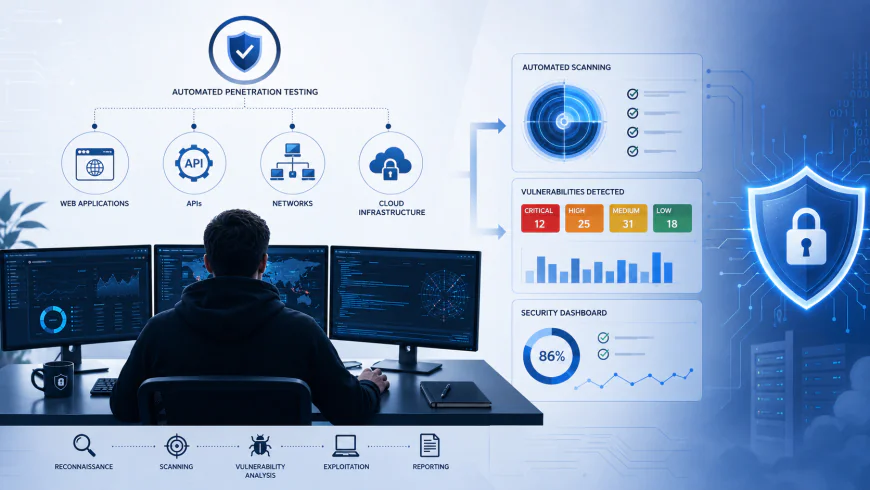
Introduction
Modern organizations rely on web applications, APIs, cloud infrastructure, networks, mobile apps, and connected systems to deliver digital services. As these environments get more complex, testing each and every security weakness by hand becomes more or less impossible, like really fast.
Because of that, automated penetration testing tools have become kind of important.
Automated security testing tools can assist security teams in spotting exposed services, recognizing known vulnerabilities, crawling applications, validating configurations, testing everyday attack patterns, and monitoring changes across digital environments in an ongoing way. It’s like they keep looking over everything without getting tired.
Still, automated penetration testing should not be mixed up with fully autonomous penetration testing.
A professional penetration test usually mixes automated tools with manual review, business-logic testing, real security expertise, and controlled exploitation. Automation works well for repetitive tasks and for scaling, but experienced penetration testers are still needed to understand the more tangled attack paths and those vulnerabilities scanners might not see or interpret correctly.
For instance, modern solutions like Burp Scanner can automatically crawl and audit web apps and APIs, yet they still fit into manual testing workflows.
For organizations trying to build a full cybersecurity program, automated penetration testing can go alongside Vulnerability Assessment, Application Security, API Security, Cloud Security, and also professional cybersecurity services, not as a replacement in every case.
This guide walks through the top 10 automated penetration testing tools in 2026, what it means for penetration testing to be automated, how these tools tend to work in practice, where they differ from vulnerability assessment, what capabilities businesses should evaluate, and how to pick the right solution.
Table of Contents
- Automated Penetration Testing Tools
- What Makes a Pentest "Automated"?
- Easy Ways to Use Penetration Testing Tools
- How Does an Automated Penetration Testing Tool Actually Work?
- What Are the Key Differences Between Vulnerability Assessment and Penetration Testing?
- Different Types of Penetration Testing and How to Choose the Right One
- Key Features to Look for in Automated Penetration Testing Tools
- Top Automated Penetration Testing Platforms
- Why Businesses Need Automated Penetration Testing Today
- How to Choose the Right Automated Penetration Testing Tool
- Automated vs Manual Penetration Testing
- Top 10 Automated Penetration Testing Tools
- How IntelligenceX Complements Automated Security Testing
- Relationship With Other Cybersecurity Domains
- Conclusion
- FAQs
Automated Penetration Testing Tools
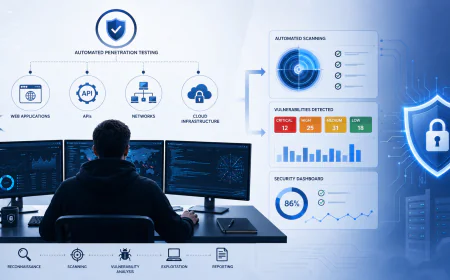
Automated penetration testing tools are security testing technologies that basically automate a few of the tasks people used to do by hand during penetration testing, so it can feel “faster” but still similar in idea.
Depending on the product, the automation might include things like
- Attack surface discovery
- Port and service discovery
- Vulnerability scanning
- Web application crawling
- API discovery
- Configuration analysis
- Exploit validation
- Security checks
- Authentication testing
- Report generation
- Continuous security testing
The actual level of automation, though, really differs a lot from tool to tool.
Some tools concentrate mostly on vulnerability discovery, while others mix scanning with controlled exploitation or automated testing of applications.
That separation matters, because a vulnerability scanner and a penetration testing platform are not always the same kind of tool, even if they sound close.
What Makes a Pentest "Automated"?
A penetration test kinda gets more automated when the software keeps doing repetitive security testing tasks, but with very little human involvement, like that.
Automated Discovery
This tool kind of identifies the assets, services, endpoints, technologies, APIs, and other pieces that might be part of the attack surface, like what could be involved.
Automated Scanning
The system tests and sort of finds the assets in line with familiar vulnerability patterns, and security checks too, like they were compared.
Automated Validation
Some platforms go a bit beyond just reporting a possible vulnerability and then try to confirm, in a sort of practical way, whether that weakness can really be exploited or not.
Automated Reporting
Modern security platforms can automatically sort findings by how severe they are, which assets they touch, what proof is attached, and what sort of remediation steps should be used. It kind of works like a guided triage, where the output feels organized, even if people don’t quite do the sorting by hand.
Continuous Testing
Some modern platforms can kind of bring security testing right into development pipelines, so that applications can get tested again and again as they change, which is kinda the point.
For example, PortSwigger has CI-driven Burp scans that can work inside CI/CD pipelines, and those results then go back into the Burp Suite DAST platform, effectively closing that loop.
Easy Ways to Use Penetration Testing Tools
How to use penetration testing tools “properly” kind of depends on the organization's environment and what the security objectives are really aiming for.
Before anyone runs any security testing tool, the organization should set up clear authorization and also the testing scope-otherwise it can get weird fast.
Start With an Authorized Target
Only test the systems that you personally own, or you have explicit permission to assess.
Security testing can end up producing unexpected traffic or making contact with vulnerable components in a way that hits availability; for instance, it can cause outages. PortSwigger’s documentation also keeps saying that users should avoid probing systems without authorization, and to really take in the possible risks that come with doing security testing.
Define the Scope
Establish:
- Target domains
- IP ranges
- Applications
- APIs
- Cloud environments
- Testing windows
- Authentication requirements
- Excluded systems
Start With Discovery
Before running the intrusive tests, kind of identify the application’s attack surface, and try to understand what exact services are exposed. You know, before you start poking around, get a feel for the public bits, the reachable endpoints, and all those surfaces that could be used against it.
Configure Authentication
Authenticated testing can actually give you more coverage for apps where the key functionality is only, kinda, after the login step.
Today’s scanners do support an authenticated flow too, but the way you set it up really depends on how the application architecture is built, and also on what testing platform you are using.
Review Results Manually
Automated findings should be validated before they get treated as confirmed vulnerabilities, or maybe not yet, depends on the context. This, in turn, cuts down on the false positives a lot and helps security teams see the real business impact, in a clearer way.
How Does an Automated Penetration Testing Tool Actually Work?
Although implementations vary, most automated security testing platforms follow a general workflow.
Step 1: Target Identification
The tester defines the authorized target.
This might be:
- Website
- Web application
- API
- IP range
- Network
- Cloud environment
- Mobile application backend
Step 2: Reconnaissance
The tool gathers information about the target.
Depending on the platform, this can include:
- Open ports
- Services
- Technologies
- URLs
- Parameters
- API endpoints
- Application paths
Step 3: Attack Surface Mapping
The tool builds a map of the target's accessible functionality.
For web applications, this may involve crawling pages, forms, links, JavaScript-generated content, and authenticated areas.
Burp Scanner, for example, uses crawling to catalog application content and navigation paths before auditing application behavior for vulnerabilities.
Step 4: Security Testing
The scanner performs configured security checks against discovered components.
Depending on the tool, these may include checks for:
- SQL Injection
- Cross-Site Scripting
- Authentication weaknesses
- Security misconfigurations
- Insecure headers
- Exposed services
- Known vulnerabilities
Step 5: Finding Correlation
The platform analyzes the results and groups related findings.
This helps security teams distinguish individual issues from broader attack paths.
Step 6: Validation
Where supported, the tool attempts to determine whether a reported weakness can actually be exploited.
This is particularly important because automated scanners can produce false positives.
Step 7: Risk Prioritization
Findings are generally categorized by severity and risk.
Organizations can then prioritize remediation based on factors such as:
- Severity
- Exploitability
- Asset criticality
- Internet exposure
- Sensitive data
- Business impact
Step 8: Reporting
The final results can include:
- Vulnerability description
- Affected asset
- Severity
- Evidence
- Technical details
- Remediation guidance
What Are the Key Differences Between Vulnerability Assessment and Penetration Testing?
Vulnerability Assessment and Penetration Testing are closely related but serve different purposes.
Vulnerability Assessment
A Vulnerability Assessment primarily identifies known security weaknesses across systems and applications.
It answers:
"What vulnerabilities exist?"
Penetration Testing
Penetration Testing goes further by attempting controlled exploitation to determine the real-world impact of identified weaknesses.
It answers:
"Can this vulnerability actually be exploited, and what could an attacker achieve?"
| Vulnerability Assessment | Penetration Testing |
|---|---|
| Identifies vulnerabilities | Validates exploitability |
| Often highly automated | Combines automation and manual testing |
| Broad coverage | Deeper targeted testing |
| Focuses on known weaknesses | Can investigate complex attack paths |
| Generates vulnerability findings | Demonstrates potential impact |
| Usually performed regularly | Often performed periodically or for specific scopes |
A mature cybersecurity program may use both approaches rather than treating them as alternatives.
Different Types of Penetration Testing and How to Choose the Right One
Automated penetration testing can support different testing environments.
Web Application Penetration Testing
Designed to identify vulnerabilities in websites and web applications.
Common testing areas include:
- Authentication
- Session management
- Access control
- Input validation
- Business logic
- File handling
- Client-side security
This is closely connected to Application Security.
API Penetration Testing
API testing evaluates endpoints, authentication mechanisms, authorization controls, data exposure, and business logic.
This complements API Security programs.
Network Penetration Testing
Network testing examines exposed services, network configurations, segmentation, and vulnerabilities affecting infrastructure.
Cloud Penetration Testing
Cloud assessments evaluate cloud workloads, exposed services, identity permissions, storage, network controls, and cloud-specific attack surfaces.
Cloud testing should complement broader Cloud Security controls.
Mobile Application Testing
Mobile security assessments evaluate applications and their backend APIs for authentication, storage, communication, and application-level weaknesses.
Internal Penetration Testing
Internal testing evaluates what an attacker or compromised endpoint could potentially achieve after gaining access to an internal environment.
External Penetration Testing
External testing focuses on internet-facing infrastructure and applications that attackers can reach from outside the organization.
Key Features to Look for in Automated Penetration Testing Tools
Choosing an automated penetration testing tool requires more than looking at the number of vulnerabilities it detects.
Broad Attack Surface Coverage
The tool should support the environments relevant to your organization.
For example:
- Web applications
- APIs
- Networks
- Cloud
- Containers
- Mobile backends
Automated Crawling
Modern applications often contain dynamic content and JavaScript-driven interfaces.
A capable scanner should be able to discover relevant application functionality rather than relying only on static URLs.
Authentication Support
Authenticated scanning can provide significantly deeper coverage of applications where critical functionality is hidden behind login systems.
Vulnerability Detection
The platform should detect relevant vulnerability classes and provide enough evidence for security teams to investigate findings.
Exploit Validation
Where appropriate and safely configured, exploit validation can help distinguish potentially exploitable vulnerabilities from lower-confidence scanner findings.
API Testing
API support is increasingly important because modern applications depend heavily on REST, GraphQL, and other API architectures.
CI/CD Integration
Security testing should ideally integrate with development workflows.
This allows teams to detect vulnerabilities earlier rather than waiting for periodic security assessments.
Reporting
Reports should clearly explain:
- What was discovered
- Where it was discovered
- Why it matters
- Severity
- Evidence
- Recommended remediation
Scalability
Enterprise organizations may need to test hundreds of applications, APIs, hosts, or cloud assets.
The platform should be able to scale with the organization's environment.
Top 10 Automated Penetration Testing Tools
The tools below represent some of the most widely used technologies in penetration testing and automated security assessment. They do not all provide the same level of automation. Some are dedicated commercial security platforms, while others are open-source frameworks, scanners, or specialized tools that automate specific parts of a penetration testing workflow.
For this reason, organizations should evaluate them according to their testing requirements rather than assuming that every tool provides fully autonomous penetration testing.
1. Burp Suite
Burp Suite, developed by PortSwigger, is one of the most widely used security testing platforms for web applications and APIs.
Its capabilities range from manual testing tools such as Proxy, Repeater, and Intruder to automated vulnerability scanning through Burp Scanner.
Key Features
- Automated web application scanning
- API security testing
- Web crawling
- Vulnerability detection
- Authentication support
- Manual testing capabilities
- CI/CD integration
- Detailed reporting
- Extensibility through extensions
Burp Scanner can automatically crawl applications and audit discovered functionality for security vulnerabilities. PortSwigger also supports automated scanning through CI/CD workflows. (portswigger.net)
Best For
Burp Suite is particularly suitable for:
- Web application security
- API security
- Professional penetration testers
- Application security teams
- DevSecOps teams
Limitation
Burp Suite should not be viewed as a replacement for an experienced penetration tester. Automated scanning can identify many technical vulnerabilities, but complex business logic and sophisticated attack chains often require manual analysis.
2. Kali Linux
Kali Linux is a Debian-based Linux distribution designed for penetration testing, digital forensics, security research, and other cybersecurity activities.
It is important to clarify that Kali Linux itself is not a single automated penetration testing tool. Instead, it provides a large collection of security tools within one operating system. (kali.org)
Key Features
Kali Linux includes tools for:
- Network discovery
- Vulnerability assessment
- Web application testing
- Wireless security testing
- Password auditing
- Digital forensics
- Reverse engineering
- Exploitation
- Security research
The distribution includes hundreds of security tools, making it a popular environment for penetration testers and security researchers. (kali.org)
Best For
Kali Linux is particularly useful for:
- Security professionals
- Penetration testers
- Cybersecurity students
- Security researchers
- Red teams
- Training environments
Limitation
Kali Linux provides the tools needed to perform security testing but does not automatically conduct a complete professional penetration test from beginning to end.
The effectiveness of Kali depends heavily on the knowledge and experience of the person using it.
3. Intruder
Intruder is a cloud-based vulnerability scanning and security platform designed to help organizations continuously identify vulnerabilities across their external and internal attack surfaces.
Its approach focuses heavily on automated vulnerability discovery and continuous security monitoring.
Key Features
- Automated vulnerability scanning
- Continuous security testing
- External attack surface discovery
- Network vulnerability assessment
- Cloud security monitoring
- Web application security
- Risk prioritization
- Compliance-oriented reporting
Intruder describes its platform as a proactive vulnerability management solution designed to continuously identify security weaknesses across an organization's attack surface. (intruder.io)
Best For
Intruder can be useful for:
- SMBs
- SaaS companies
- Cloud-based businesses
- Internal security teams
- Organizations requiring continuous vulnerability monitoring
Limitation
Automated vulnerability discovery does not provide the same depth as a comprehensive manual penetration test. Organizations with complex applications or business logic should supplement automated scanning with expert-led testing.
4. Nmap
Nmap, or Network Mapper, is an open-source tool used for network discovery and security auditing.
It is one of the most widely recognized tools in the penetration testing ecosystem.
Key Features
Nmap can help identify:
- Open ports
- Running services
- Operating systems
- Network hosts
- Service versions
- Network configurations
Its scripting engine, Nmap Scripting Engine (NSE), extends its capabilities by allowing security professionals to automate network discovery and security checks.
Best For
Nmap is particularly useful for:
- Network discovery
- Infrastructure assessments
- External reconnaissance
- Internal penetration testing
- Security auditing
- Network administrators
Limitation
Nmap is primarily a network discovery and security auditing tool. It should not be treated as a complete automated penetration testing platform.
Its value comes from providing visibility into the attack surface and helping security professionals identify areas that require deeper testing.
5. OWASP ZAP
OWASP ZAP (Zed Attack Proxy) is an open-source web application security testing tool maintained under the OWASP project.
It can operate as an intercepting proxy and provides automated scanning capabilities for web applications.
Key Features
- Automated web application scanning
- Passive scanning
- Active scanning
- Web crawling
- API testing
- Authentication support
- Automation Framework
- CI/CD integration
- Extensibility
OWASP describes ZAP as a free and open-source penetration testing tool designed to find vulnerabilities in web applications. (zaproxy.org)
Best For
OWASP ZAP is useful for:
- Web application testing
- Developers
- Application security teams
- Security researchers
- DevSecOps teams
- Open-source security testing
Limitation
ZAP can automate significant portions of web application security testing, but automated scanning cannot reliably identify every business-logic vulnerability or complex authorization issue.
Manual testing remains important for comprehensive assessments.
6. Metasploit
Metasploit is a penetration testing and exploitation framework widely used by security professionals to validate vulnerabilities and simulate attack scenarios.
It is particularly valuable during the exploitation and validation phases of penetration testing.
Key Features
- Exploit development
- Exploit execution
- Payload generation
- Vulnerability validation
- Post-exploitation
- Auxiliary modules
- Security research
- Attack simulation
Metasploit's framework provides security professionals with a structured environment for developing and executing controlled security tests.
Best For
Metasploit is commonly used by:
- Penetration testers
- Red teams
- Security researchers
- Vulnerability researchers
- Security training teams
Limitation
Metasploit is not a fully autonomous penetration testing platform.
Using exploitation frameworks without authorization can cause serious operational and legal consequences. Security testing should therefore only be performed against systems where explicit permission has been obtained.
7. SQLmap
SQLmap is an open-source tool specifically designed to automate the detection and exploitation of SQL injection vulnerabilities.
It is highly specialized compared with broader penetration testing platforms.
Key Features
SQLmap can automate activities related to:
- SQL injection detection
- Database fingerprinting
- Database enumeration
- Database information extraction
- Authentication testing
- Multiple SQL injection techniques
Best For
SQLmap is useful for:
- Web application penetration testing
- API testing
- Security research
- Database security assessment
- Professional penetration testers
Limitation
SQLmap focuses heavily on SQL injection.
It should therefore be considered a specialized penetration testing tool rather than a complete automated security assessment platform.
Its output should also be interpreted carefully because automated exploitation does not necessarily represent the full business impact of a vulnerability.
8. Qualys
Qualys provides a cloud-based cybersecurity and vulnerability management platform designed for organizations that need continuous visibility across their technology environments.
Its platform extends beyond traditional vulnerability scanning and includes capabilities across asset discovery, vulnerability management, compliance, cloud security, and other security functions.
Key Features
- Automated asset discovery
- Vulnerability management
- Continuous monitoring
- Cloud security
- Compliance assessment
- Configuration assessment
- Risk prioritization
- Enterprise reporting
Qualys provides cloud-based vulnerability management and security capabilities designed to help organizations identify and prioritize vulnerabilities across their environments.
Best For
Qualys is particularly suitable for:
- Large enterprises
- Distributed environments
- Vulnerability management teams
- Compliance-focused organizations
- Organizations requiring continuous asset visibility
Limitation
Qualys is strongest as an enterprise vulnerability management and security platform. Organizations requiring deep manual exploitation and business-logic testing should complement it with professional penetration testing.
9. Nessus
Nessus, developed by Tenable, is a widely used vulnerability assessment technology designed to identify security weaknesses across systems, networks, applications, and infrastructure.
It automates vulnerability discovery and provides organizations with information that can help prioritize remediation.
Key Features
- Vulnerability scanning
- Configuration assessment
- Compliance checks
- Network security assessment
- Patch assessment
- Risk prioritization
- Reporting
Tenable positions Nessus as a vulnerability assessment solution designed to identify vulnerabilities, misconfigurations, and compliance issues. (tenable.com)
Best For
Nessus is commonly used by:
- Enterprise security teams
- Network administrators
- Vulnerability management teams
- Compliance teams
- Security consultants
Limitation
Nessus is primarily a vulnerability assessment solution rather than a complete penetration testing platform.
Organizations should combine vulnerability scanning with penetration testing when they need to understand whether vulnerabilities can be chained together or exploited to achieve a specific business objective.
10. OpenVAS
OpenVAS, commonly associated with the Greenbone vulnerability management ecosystem, is an open-source vulnerability scanning technology used to identify vulnerabilities across IT infrastructure.
It provides organizations with an alternative for vulnerability assessment and security monitoring.
Key Features
- Automated vulnerability scanning
- Network security assessment
- Vulnerability detection
- Scheduled scanning
- Security reporting
- Open-source ecosystem
Greenbone's vulnerability management platform uses the OpenVAS scanner as a core component of its security assessment capabilities.
Best For
OpenVAS can be useful for:
- Security teams
- Open-source environments
- Security researchers
- Educational environments
- Organizations evaluating vulnerability management options
Limitation
OpenVAS is primarily focused on vulnerability assessment and scanning. It does not replace a complete manual penetration test.
Organizations should evaluate whether they need vulnerability discovery, exploit validation, or a full penetration testing engagement before selecting a tool.
Comparing the Top 10 Tools
| Tool | Primary Use | Automation Level | Best For |
|---|---|---|---|
| Burp Suite | Web/API Security | High | AppSec & Pentesters |
| Kali Linux | Pentesting Environment | Depends on Tools | Security Professionals |
| Intruder | Vulnerability Management | High | Continuous Scanning |
| Nmap | Network Discovery | High | Network Testing |
| OWASP ZAP | Web Security | High | AppSec & Developers |
| Metasploit | Exploitation | High | Pentesters & Red Teams |
| SQLmap | SQL Injection Testing | High | Web Security |
| Qualys | Vulnerability Management | High | Enterprises |
| Nessus | Vulnerability Assessment | High | Enterprise Security |
| OpenVAS | Vulnerability Scanning | High | Security Teams |
Which Tool Should You Choose?
The right tool depends on what you are trying to test.
For web applications, Burp Suite and OWASP ZAP are strong options.
For network discovery, Nmap is particularly useful.
For vulnerability management, organizations may consider Qualys, Nessus, OpenVAS, or Intruder.
For exploit validation, Metasploit can be valuable for authorized security testing.
For SQL injection testing, SQLmap provides specialized automation.
For a broader penetration testing environment, Kali Linux provides access to a large ecosystem of security tools.
However, organizations should avoid treating any individual tool as a complete replacement for a professional penetration testing methodology.
Why Businesses Need Automated Penetration Testing Today
Modern organizations continuously change their digital environments. New applications are deployed, APIs are added, cloud infrastructure changes, dependencies are updated, and employees interact with systems from different locations.
A penetration test performed only once a year may therefore provide useful insight at a particular point in time, but it cannot necessarily represent every change that occurs afterward.
Automated security testing helps organizations increase testing frequency and improve visibility across changing environments.
Faster Security Testing
Automated tools can perform repetitive discovery and scanning activities much faster than manual testing.
This allows security teams to evaluate large numbers of assets without repeating the same manual processes for every assessment.
Continuous Security Validation
Organizations using DevSecOps and continuous deployment can integrate automated security testing into their development workflows.
Instead of waiting until the end of a development cycle, security checks can be performed throughout the software development lifecycle.
Improved Attack Surface Visibility
Modern organizations often have assets distributed across:
- Cloud platforms
- SaaS applications
- APIs
- Internet-facing servers
- Mobile applications
- Remote endpoints
- Third-party integrations
Automated tools can help security teams maintain visibility into these constantly changing environments.
Earlier Vulnerability Detection
Finding a vulnerability earlier generally gives development and security teams more time to remediate it before attackers can exploit it.
This supports a proactive cybersecurity approach rather than relying entirely on incident response.
Reduced Repetitive Work
Security professionals can spend significant amounts of time performing repetitive discovery, scanning, validation, and reporting tasks.
Automation can reduce this workload and allow experienced testers to focus on higher-value activities such as business-logic analysis, attack-chain validation, and manual exploitation.
How to Choose the Right Automated Penetration Testing Tool
There is no universally best automated penetration testing tool.
The right choice depends on your organization's environment, security objectives, technical expertise, budget, and required testing depth.
Identify What You Need to Test
First determine whether your primary requirement is:
- Web application testing
- API testing
- Network testing
- Cloud security testing
- Vulnerability management
- Continuous attack surface monitoring
- CI/CD security testing
- Exploit validation
A tool optimized for web applications may not be appropriate for network infrastructure or cloud environments.
Evaluate Automation Depth
The word "automated" can mean different things across security products.
Ask:
- Does the tool automatically discover assets?
- Can it crawl applications?
- Does it support authenticated testing?
- Can it validate vulnerabilities?
- Does it generate reports automatically?
- Can it run continuously?
- Can it integrate with CI/CD?
Understanding exactly what the platform automates prevents unrealistic expectations.
Check False Positive Rates
A large number of findings does not necessarily mean a tool is effective.
Security teams should evaluate the accuracy and quality of findings.
This is particularly important with AI-assisted security testing, where recent industry reporting has highlighted the need for substantial human validation of generated findings.
Evaluate Integration Capabilities
Enterprise security environments rarely operate with a single tool.
Look for integrations with:
- SIEM
- SOAR
- Ticketing platforms
- CI/CD pipelines
- Cloud platforms
- Vulnerability management platforms
- Security dashboards
Consider Reporting Requirements
Security teams need technical information, while executives often need a high-level risk overview.
A good platform should support both audiences.
Assess Scalability
If your organization has hundreds or thousands of assets, make sure the platform can scale without creating excessive operational overhead.
What Are the Key Differences Between Automated and Manual Penetration Testing?
Automated and manual penetration testing should not be viewed as competing approaches.
They solve different problems.
| Automated Testing | Manual Testing |
|---|---|
| Fast | Deeper analysis |
| Scalable | Context-aware |
| Repeatable | Creative |
| Excellent for repetitive tasks | Excellent for complex attack paths |
| Broad automated coverage | Targeted expert testing |
| Can run frequently | Usually engagement-based |
| May generate false positives | Requires skilled professionals |
| Limited business-logic understanding | Strong business-context analysis |
The strongest security programs typically combine both.
Where Automation Performs Well
Automation is particularly effective at:
- Repetitive scanning
- Asset discovery
- Known vulnerability detection
- Web crawling
- Configuration checks
- Regression testing
- Continuous monitoring
Where Humans Perform Better
Experienced penetration testers remain particularly valuable for:
- Business logic flaws
- Complex authentication issues
- Authorization weaknesses
- Multi-step attack chains
- Privilege escalation
- Lateral movement
- Contextual risk analysis
- Creative exploitation
Research into automated penetration testing also continues to show that fully autonomous end-to-end testing remains challenging, particularly around context, command accuracy, and maintaining an integrated understanding of the testing scenario.
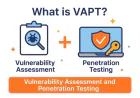
Automated Penetration Testing vs VAPT
Automated penetration testing and VAPT are closely related but should not be treated as identical concepts.
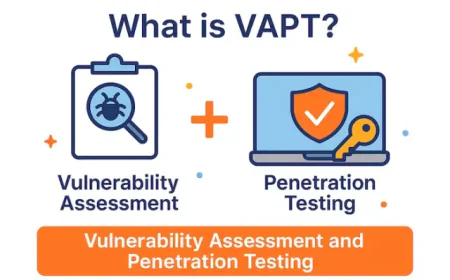
Vulnerability Assessment and Penetration Testing (VAPT) is a broader security assessment methodology.
Automated penetration testing refers to the automation of specific security-testing activities.
A VAPT engagement can therefore use automated tools while still incorporating manual testing, expert validation, risk analysis, reporting, and remediation verification.
For example, IntelligenceX describes its VAPT approach as identifying, validating, and prioritizing vulnerabilities across applications, networks, cloud infrastructure, and IT systems.
How IntelligenceX Complements Automated Security Testing
Automated tools are valuable for increasing security-testing coverage and frequency, but organizations often need expert validation to understand the real-world impact of vulnerabilities.
IntelligenceX provides professional cybersecurity services combining automated security tooling with hands-on security expertise.
Its current offensive security portfolio includes VAPT, web application penetration testing, mobile application security testing, network penetration testing, cloud penetration testing, IoT security testing, OT security assessment, secure code review, threat modeling, red teaming, and AI/LLM penetration testing.
Human-Led Security Testing
IntelligenceX emphasizes practitioner-led security engagements rather than relying solely on automated scanners.
Its website states that offensive security engagements are led by senior penetration testers and red-team operators.
This approach is particularly useful for vulnerabilities that automated tools may identify but cannot fully understand in their business context.
Automated Tools Plus Manual Validation
A practical security-testing strategy can combine:
- Automated discovery
- Vulnerability identification
- Expert validation
- Manual exploitation
- Risk analysis
- Remediation
- Retesting
This provides broader coverage without sacrificing the contextual analysis that professional penetration testing requires.
Beyond Penetration Testing
IntelligenceX also provides Managed Detection and Response (MDR), incident response and digital forensics, endpoint and network protection, security awareness training, annual cybersecurity planning, and vCISO services.
This allows organizations to connect offensive security findings with defensive security and long-term cybersecurity planning.
Relationship With Other Cybersecurity Domains
Automated penetration testing is not an isolated cybersecurity activity. It works alongside multiple security disciplines.
Cybersecurity
Automated testing helps organizations continuously identify security weaknesses and improve their overall cybersecurity posture.
Vulnerability Assessment
Automated scanners are commonly used during Vulnerability Assessment to identify known weaknesses across systems and applications.
VAPT
VAPT combines vulnerability identification with penetration testing, providing a broader view of security risk.
Application Security
Web application scanners and DAST tools can automatically test applications for common vulnerabilities
API Security
Automated API testing can identify authentication, authorization, configuration, and data-exposure weaknesses
Cloud Security
Automated testing can help identify exposed cloud services and security misconfigurations, supporting broader Cloud Security programs.
DevSecOps
Integrating automated security testing into CI/CD pipelines enables organizations to identify vulnerabilities earlier in the software development lifecycle.
Managed Detection and Response
Automated penetration testing identifies weaknesses proactively, while Managed Detection and Response (MDR) monitors environments for active threats.
Conclusion
Automated penetration testing tools have become valuable components of modern cybersecurity programs.
They enable organizations to automate repetitive security-testing activities, increase testing frequency, improve attack-surface visibility, and integrate security testing into modern development and infrastructure workflows.
However, automation should not be interpreted as a complete replacement for professional penetration testing.
Tools such as Burp Suite, Kali Linux, Intruder, Nmap, OWASP ZAP, Metasploit, SQLmap, Qualys, Nessus, and OpenVAS each provide different capabilities. Some are specialized tools, some are vulnerability management platforms, and others support specific phases of penetration testing.
The best approach is to understand what each technology actually automates and select tools according to the organization's security objectives.
For organizations requiring deeper validation, automated testing can be combined with experienced security professionals who can analyze business logic, validate complex attack paths, assess real-world impact, and provide remediation guidance.
Ultimately, the strongest cybersecurity strategy is not automated versus manual testing. It is the intelligent combination of automation, continuous testing, human expertise, and ongoing security improvement.
Frequently Asked Questions
1. What is automated penetration testing?
Automated penetration testing uses software to automate parts of the penetration testing process, such as asset discovery, vulnerability scanning, application crawling, security checks, and reporting.
2. Are automated penetration testing tools enough?
No. Automated tools provide valuable coverage but may not identify complex business logic flaws, sophisticated attack chains, or contextual security issues. Professional manual testing can complement automated assessments.
3. What is the best automated penetration testing tool?
There is no universal best tool. Burp Suite and OWASP ZAP are strong options for web applications, Nmap is useful for network discovery, while Nessus, Qualys, OpenVAS, and Intruder are more focused on vulnerability assessment and management.
4. Is Kali Linux an automated penetration testing tool?
Kali Linux is a security-focused Linux distribution rather than a single automated penetration testing tool. It provides access to a large collection of security-testing tools.
5. Can automated pentesting replace manual penetration testing?
Automated testing can reduce repetitive work, but it generally cannot replace the contextual reasoning and creativity of experienced penetration testers.
6. Can automated penetration testing be used in DevSecOps?
Yes. Many security testing platforms can integrate with CI/CD pipelines, enabling security checks to run as part of software development workflows.
7. What is the difference between automated pentesting and vulnerability scanning?
Vulnerability scanning primarily identifies potential security weaknesses. Automated penetration testing may go further by validating vulnerabilities, simulating attack paths, or automating exploitation-related testing, depending on the platform.
8. How often should automated security testing be performed?
Organizations can perform automated testing much more frequently than traditional manual assessments, particularly after application releases, infrastructure changes, and during continuous development workflows.
9. Are automated penetration testing tools safe?
They can be safe when used against authorized targets with appropriate scope and testing controls. Security teams should understand that active testing can affect systems and should never test systems without authorization.
10. Why combine automated testing with cybersecurity services?
Professional cybersecurity services can provide expert validation, risk prioritization, remediation guidance, and manual testing that automated tools alone may not provide.