


























ADA Website Compliance : Accessibility to Web Contents as per Americans with Disabilities Act
ADA website compliance refers to the process of ensuring that your digital content is accessible to people with disabilities, as required by the Americans with Disabilities Act (ADA).

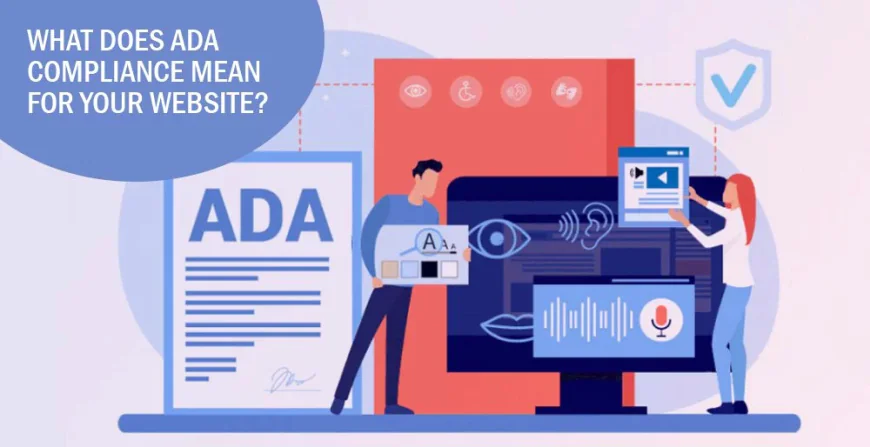
While the original 1990 law focused on physical spaces, the Department of Justice (DOJ) and federal courts have consistently ruled that the ADA also applies to websites and mobile apps.
In 2010, the United States Department of Justice released specific guidelines for all public organizations to follow to become accessible to all people with disabilities. That includes all disabled people that use computers and smart devices.
Fast forward to today: lawsuits, demand letters, and regulatory fines have become commonplace, and requirements are being taken more seriously than ever before.
Private businesses have to comply with Title III of the ADA, while state and local governments must meet the upcoming deadline for the new Title II requirements.
Making your website and digital content accessible is no longer a choice.
Why Website Accessibility Matters
Inaccessible web content means that people with disabilities are denied equal access to information. An inaccessible website can exclude people just as much as steps at an entrance to a physical location. Ensuring web accessibility for people with disabilities is a priority for the Department of Justice. In recent years, a multitude of services have moved online and people rely on websites like never before for all aspects of daily living. For example, accessing voting information, finding up-to-date health and safety resources, and looking up mass transit schedules and fare information increasingly depend on having access to websites.
People with disabilities navigate the web in a variety of ways. People who are blind may use screen readers, which are devices that speak the text that appears on a screen. People who are deaf or hard of hearing may use captioning. And people whose disabilities affect their ability to grasp and use a mouse may use voice recognition software to control their computers and other devices with verbal commands.
The ways that websites are designed and set up can create unnecessary barriers that make it difficult or impossible for people with disabilities to use websites. These barriers on the web keep people with disabilities from accessing information and programs that businesses and state and local governments make available to the public online. But these barriers can be prevented or removed so that websites are accessible to people with disabilities.
Examples of Website Accessibility Barrier
Poor color contrast. People with limited vision or color blindness cannot read text if there is not enough contrast between the text and background (for example, light gray text on a light-colored background).
Use of color alone to give information. People who are color-blind may not have access to information when that information is conveyed using only color cues because they cannot distinguish certain colors from others. Also, screen readers do not tell the user the color of text on a screen, so a person who is blind would not be able to know that color is meant to convey certain information.
Lack of text alternatives (“alt text”) on images. People who are blind will not be able to understand the content and purpose of images, such as pictures, illustrations, and charts, when no text alternative is provided. Text alternatives convey the purpose of an image, including pictures, illustrations, charts, etc.
No captions on videos. People with hearing disabilities may not be able to understand information communicated in a video if the video does not have captions.
Inaccessible online forms. People with disabilities may not be able to fill out, understand, and accurately submit forms without things like:
-
- Labels that screen readers can convey to their users.
- Clear instructions; and
- Error indicators (such as alerts telling the user a form field is missing or incorrect).
- Labels that screen readers can convey to their users.
Mouse-only navigation (lack of keyboard navigation). People with disabilities who cannot use a mouse or trackpad will not be able to access web content if they cannot navigate a website using a keyboard.
When the ADA Requires Web Content to be Accessible
The Americans with Disabilities Act applies to state and local governments (Title II) and businesses that are open to the public (Title III).
State and local governments (Title II)
Title II of the ADA prohibits discrimination against people with disabilities in all services, programs, and activities of state and local governments. State and local governments must take steps to ensure that their communications with people with disabilities are as effective as their communications with others. Many state and local government services, programs, and activities are now being offered on the web.
A website with inaccessible features can limit the ability of people with disabilities to access a public entity’s programs, services and activities available through that website.
For these reasons, the Department has consistently taken the position that the ADA’s requirements apply to all the services, programs, or activities of state and local governments, including those offered on the web.
Businesses that are open to the public (Title III)
Title III prohibits discrimination against people with disabilities by businesses open to the public (also referred to as “public accommodations” under the ADA). The ADA requires that businesses open to the public provide full and equal enjoyment of their goods, services, facilities, privileges, advantages, or accommodations to people with disabilities.
A website with inaccessible features can limit the ability of people with disabilities to access a public accommodation’s goods, services, and privileges available through that website.
For these reasons, the Department has consistently taken the position that the ADA’s requirements apply to all the goods, services, privileges, or activities offered by public accommodations, including those offered on the web.
How to Meet ADA Compliance Standards
To meet ADA compliance standards, websites must adhere to the Web Content Accessibility Guidelines (WCAG), which include principles such as being perceivable, operable, understandable, and robust.
As time progresses, the default standard required for websites continues to rise. In recent years WCAG 2.1 was the standard to follow. But after version 2.2 was released in October 2023, it has been ruled as the standard to comply with by U.S. state and local governments.
The WCAG guidelines have a three-tiered grading system:
Level A: Your website is only accessible by some users
Level AA: Your website is accessible by almost all users
Level AAA: Your website is accessible by all users It’s usually good enough to meet Level AA of the guidelines. However, your best bet is to build (or rebuild) your website to be 100% compliant so that you don’t leave anybody out.
Here’s a breakdown of what the core principles of the WCAG guidelines look like:
1. Be Perceivable
All users should have the ability to perceive any and all information that appears on your website. That includes things like text, images, videos, and so on.
All of your users should be able to navigate your website with ease. Any user should be able to utilize every feature you offer, such as site tools. This is something that likely has to be written into your HTML, which means you’ll need a web developer who is current with ADA compliance standards. Aside from being able to “view” your website and navigate through it, your users also need to be able to understand what they’re reading, listening to, and so on. One way to implement this concept is by providing instructions that come with the site tools, navigation menu, forms, or any other features your website offers. Even if your disabled users are supported by assisted technologies, you still want them to have the same overall experience as your non-disabled users. That means no matter how the content of your website is delivered, it should all be universal. Don’t shorten descriptions, directions, explanations, etc. Treat all users the same by providing them with the full user experience.2. Be Operable
3. Be Understandable
4. Be Robust
Besides this there are other existing resources to help businesses and state and local governments with making websites accessible to people with disabilities;
- 18F Accessibility Guide: a comprehensive accessibility guide with resources published by 18F, a digital services agency under the General Services Administration (GSA).
- Digital.gov: this site, which is part of the Technology Transformation Services at the GSA, has resources on design of products, devices, services, or environments for people with disabilities.
- Section 508 Information and Communication Technology Accessibility Standards: standards published by the U.S. Access Board addressing access to information and communication technology under Section 508 of the Rehabilitation Act of 1973.
- Section508.gov: a website published by the GSA with tools and training on implementing website accessibility requirements under Section 508.
What if my Website isn't ADA Compliant
If your website isn’t ADA compliant you’re at risk for a hefty lawsuit. Even if you unintentionally skipped the guidelines provided by the U.S. Department of Justice, you could still end up paying thousands of dollars in lawsuits if you’re website isn’t accessible to everyone.
In addition to a lawsuit, you’ll also be facing the following for being non-compliant with ADA compliance standards:
- Legal fees
- Possible settlement
- Potential public relations problems
- The costs involved in rebuilding your website to be compliant
On top of all of this, you run the risk of losing customers for not making your website accessible to those that are disabled.
Compliance Checklist for Websites
1. Use text alternatives (alt text) to convey the context and purpose of visual content. Text alternatives render the information of visual content into electronic text that can be presented in a form that best fits the requirements of the user.
2. Multimedia, while providing users with a richer and more diversified experience on the web, can be limiting to those with audio or visual impairments. Providing text transcripts and captions for audio content, such as recordings of a radio interview, or adding a sign language interpretation of audio content can help overcome these limiting factors.
3. Content should be presented in different formats and users should be able to change the presentation of content. Examples of different content presentations include allowing options for content to be read aloud, displaying content in custom color combinations, using correct color contrasts, or creating mobile-friendly content.
4. Content perception and comprehension are not made equal. Some users may need more time to read instructions, type, or complete tasks on a website. Care should be taken to adjust time-sensitive elements on a website and to use dynamic content that does not interrupt, pause, blink, or scroll. Content that is animated and that flashes at certain rates can also be harmful to those with photosensitive disorders. Such content should be avoided or a warning of the nature of the content should be presented beforehand.
5. Navigation is an essential element of user experience and creating a site with well-organized content can provide users with disabilities an equal opportunity to experience the website fully based on their needs. An important aspect to consider regarding accessible navigation is to understand how users interact with site structures such as hierarchical menus, search boxes, and site maps.
6. Text content should be readable and understandable in all the formats it is presented in. The level of comprehension of the text should cater to the broadest audience possible so that it is inclusive to those with learning disabilities and other cognitive limitations. Providing measures to help users avoid and correct mistakes is also essential. This can help people who do not see or hear the content or may not recognize implicit relationships, sequences, and other cues on web elements such as forms.
7. Ensure that the content on your site follows a predictable and consistent pattern and interface. A consistent design can help users learn to navigate the site quickly and follow predictable patterns to achieve certain goals on a site.
8. Demonstrate your commitment to your web accessibility efforts to your customers and stakeholders by including an accessibility statement on your site. An accessibility statement should include the accessibility guidelines and standards your website follows including the intended level of accessibility, contact information in the event that visitors find issues with the accessibility of the site, and an acknowledgment of any exceptions to the standards based on limitations of the site. You can use an accessibility statement generator to quickly create a complete and compliant statement.
How to Check if your Website is ADA Compliant
Checking your website for ADA compliance is a matter of testing your website’s accessibility. Here are three methods to approach website accessibility testing:
Manual
Manual testing is usually conducted by accessibility experts or consultants with technical experience and includes items like reviewing the navigation, making sure any forms are functioning properly, and checking the mobile interface to see whether users can pinch and zoom content.
On the backend, manual testing includes a review of metadata and alternative text for images, as well as semantic structure. Manual web accessibility testing can be quite time-consuming.
Automated
Automated web accessibility testing is much faster, with software that evaluates code for WCAG compliance and uncovers errors. Designers and/or developers may need to make changes, based on the website accessibility scan — each finding requires review, so there is no 100%-automated process for testing a website’s accessibility.
Hybrid
A hybrid approach is always the best practice for ensuring website accessibility, especially because some features — like keyboard-only navigation, and page-scrolling — cannot be properly tested with software.
Best practices
§ Hire an accessibility expert, either in-house or as an external consultant to conduct manual accessibility checks on a regular basis
§ Test your website and digital assets with focus groups consisting of users with disabilities
§ Invest in an automated testing software to audit your site frequently for accessibility errors
§ Incorporate web accessibility practices into your organization’s culture and provide accessibility training to your employees
§ Provide a feedback mechanism where users can submit issues or queries when they encounter accessibility issues
§ Create and publish a publicly-available web accessibility policy
§ Publish an accessibility statement on your website outlining your commitment to web accessibility, details of your accessibility policy and the technology you are using to achieve it
Web Accessibility for People with Disabilities is a Priority for the Department of Justice
When Congress enacted the ADA in 1990, it intended for the ADA to keep pace with the rapidly changing technology of our times. Since 1996, the Department of Justice has consistently taken the position that the ADA applies to web content. The Department is committed to using its enforcement authority to ensure website accessibility for people with disabilities and to ensure that the goods, services, programs, and activities that businesses and state and local governments make available to the public are accessible.
Take the Next Step towards Web Accessibility
Moving toward a more accessible online environment means everyone doing their bit to make the internet more inclusive. ADA compliance is the base for which responsible website owners can start this accessible journey, ensuring that everyone can access their site.
It’s evident that progress towards accessibility is achievable through dedicated effort and attention to detail. However, it’s essential to recognize that accessibility is ongoing, requiring continuous updates and adherence to evolving guidelines.