




















Complete Android Application Penetration Testing: Comprehensive Methodology for Identifying Critical Vulnerabilities
Master Android app penetration testing with complete methodologies covering SSL pinning bypass, root detection evasion, insecure data storage, and advanced exploitation techniques. Includes OWASP MASTG standards, hardware requirements, tools, and practical command-line usage.

Android powers over 3 billion devices globally, making it the world's most widely used operating system. This ubiquity makes Android applications prime targets for attackers. Every month, Google issues security bulletins fixing dozens of vulnerabilities in the Android framework itself, yet application-level vulnerabilities dwarf platform-level issues in frequency and impact.
The security posture of Android applications determines whether user data remains protected or becomes exposed to malicious actors. Penetration testing represents the most comprehensive approach to identifying vulnerabilities before attackers do. This guide provides a complete methodology for testing Android applications, covering everything from reconnaissance through advanced exploitation techniques.
This guide aligns with OWASP Mobile Application Security Testing Guide (MASTG) standards and covers real-world attack scenarios that penetration testers and security professionals encounter daily.
Part 1: Preparation and Prerequisites
Hardware Requirements
Successful Android penetration testing requires specific hardware and virtualization setup.
Testing Device Options:
A rooted physical Android device provides the most authentic testing environment. Popular choices include Pixel devices running Android 12+, OnePlus devices, or Samsung devices. A rooted device allows full access to the filesystem, system logs, and network configuration necessary for comprehensive testing.
An emulated Android environment provides flexibility and reproducibility. Android Studio's Emulator, Genymotion, or MEmu offer GUI-based virtual Android environments that can be rooted easily. The emulator approach is often preferred for initial testing because you can snapshot the system, test destructively, and revert to a clean state instantly.
A testing workstation running Linux or Windows with sufficient resources. A minimum of 16GB RAM and SSD storage is recommended. Kali Linux includes pre-installed penetration testing tools, making it an ideal testing platform.
A network proxy server for traffic interception. This can run on the testing workstation or a separate device. The proxy must support SSL/TLS interception and modification.
Proper cable connections for physical devices, including USB cables capable of high-speed data transfer for ADB connectivity and file transfers.
Essential Tools Installation
Before beginning any engagement, install and configure all necessary tools.
Core Analysis Tools:
JADX is an indispensable decompiler for analyzing Android application source code. It converts compiled DEX files back to readable Java code. Installation on Linux:
```
wget https://github.com/skylot/jadx/releases/download/v1.4.7/jadx-linux.zip
unzip jadx-linux.zip -d ~/tools/jadx
chmod +x ~/tools/jadx/bin/jadx-gui
```
APKTool enables decompilation to SMALI (Dalvik assembly) code and recompilation of modified applications. Installation:
```
wget https://bitbucket.org/iBotPeaches/apktool/downloads/apktool_2.8.1.jar
wget https://raw.githubusercontent.com/iBotPeaches/Apktool/master/scripts/linux/apktool
chmod +x apktool
sudo mv apktool /usr/local/bin/
sudo mv apktool_2.8.1.jar /usr/local/bin/apktool.jar
```
MobSF (Mobile Security Framework) provides both static and dynamic analysis of Android applications. Installation:
```
git clone https://github.com/MobSF/Mobile-Security-Framework-MobSF.git
cd Mobile-Security-Framework-MobSF
pip install -r requirements.txt
python manage.py runserver 0.0.0.0:8000
```
Burp Suite Professional is the industry standard proxy for intercepting and modifying HTTP/HTTPS traffic. Obtain from PortSwigger and configure as your primary proxy.
Dynamic Analysis Tools:
Frida is the most powerful dynamic instrumentation framework for runtime app modification. Installation:
```
pip install frida-tools
frida --version
```
Android Debug Bridge (ADB) enables communication with Android devices. It's included with Android SDK Platform-Tools:
```
wget https://dl.google.com/android/repository/platform-tools-latest-linux.zip
unzip platform-tools-latest-linux.zip
sudo mv platform-tools/* /usr/local/bin/
```
Drozer provides security assessment capabilities for Android applications. Installation:
```
pip install drozer
drozer --version
```
Network Analysis:
Charles Proxy, Wireshark, and tcpdump provide packet-level network analysis when needed.
Reverse Engineering:
Ghidra from NSA or IDA Pro (commercial) enable deep binary analysis for native libraries.
Android Emulator Configuration
Proper emulator setup is critical for effective testing.
Using Android Studio, create an emulator with API level 10 or 11 for easier root access. Select an x86 architecture for better performance. Configure with at minimum 4GB RAM and 4GB storage.
Root the emulator immediately after creation:
```
adb root
adb remount
adb shell
# Verify root with 'whoami' command
```
Install Frida-server on the emulator. Download the appropriate ARM/x86 version:
```
wget https://github.com/frida/frida/releases/download/16.1.4/frida-server-16.1.4-android-x86.xz
xz -d frida-server-16.1.4-android-x86.xz
adb push frida-server-16.1.4-android-x86 /data/local/tmp/
adb shell chmod +x /data/local/tmp/frida-server-16.1.4-android-x86
adb shell /data/local/tmp/frida-server-16.1.4-android-x86 &
```
Disable SELinux to prevent permission issues during testing:
adb shell su -c "setenforce 0"
Configure a system-wide proxy for Burp Suite traffic interception:
adb shell settings put global http_proxy
Create snapshots before testing to enable quick restoration to clean state.
Part 2: Reconnaissance and Information Gathering
Public Information Collection
Before analyzing the application itself, gather publicly available information about the target organization, its infrastructure, and the application.
Search Google, GitHub, and SHODAN for exposed information. Look for developer documentation, configuration files, API documentation, or source code repositories that might be publicly accessible. Check for company infrastructure on AWS, Azure, or other cloud providers.
Analyze the application store listing (Google Play Store or third-party stores) for information about the developer, update history, permissions requested, and user reviews that might hint at functionality or vulnerabilities.
Use tools like apkpure.com to download historical versions of the application, enabling comparison between versions to identify security changes or new features.
Perform WHOIS and DNS lookups on associated domains to identify infrastructure and organization details.
Search bug bounty platforms and vulnerability disclosure databases for previously reported issues in the application or organization.
APK Collection and Initial Analysis
Obtain the target APK through official app stores or through direct download from apkpure.com, apkcombo.com, or similar services. Verify the SHA256 hash to ensure you have the exact version you intend to test.
Perform initial APK analysis:
```
adb install target-app.apk
aapt dump badging target-app.apk
unzip -l target-app.apk
strings target-app.apk | grep -i "http\|api\|key\|secret"
```
Extract the AndroidManifest.xml to understand the application structure:
```
apktool d target-app.apk -o target-app-decompiled
cat target-app-decompiled/AndroidManifest.xml
```
Identify all exported activities, services, content providers, and broadcast receivers. These represent attack surfaces that external applications or unauthenticated users can interact with directly.
Calculate and document the APK's signature to verify authenticity and track different versions:
jarsigner -verify -verbose -certs target-app.apk
Part 3: Static Analysis
Decompilation and Code Review
Decompile the application using JADX-GUI for interactive browsing of source code:
jadx-gui target-app.apk
Search for sensitive patterns in the decompiled code:
```
grep -r "password\|secret\|key\|token\|api\|credential" target-app-decompiled/
grep -r "hardcoded\|TODO\|FIXME\|DEBUG" target-app-decompiled/
```
Analyze critical security functions:
Authentication implementations - Look for weak password validation, hardcoded credentials, or insecure session management.
Cryptography usage - Identify use of deprecated algorithms like DES, MD5, or SHA1. Check for hardcoded encryption keys or insufficient key derivation.
Data storage operations - Find database queries, shared preferences access, and file operations. Verify that sensitive data is encrypted.
Network communication - Review all network requests to identify proper SSL/TLS validation, certificate pinning implementation, and secure API design.
Permission usage - Verify that requested permissions align with functionality and that no unnecessary permissions are requested.
Third-Party Library Analysis
Identify all third-party libraries using MobSF or manual inspection:
unzip -l target-app.apk | grep ".jar\|.so" > libraries.txt
Check for vulnerable library versions using OWASP Dependency-Check:
dependency-check --project "Target App" --scan target-app-decompiled/
Analyze libraries for known vulnerabilities in CVE databases.
Manifest Analysis
Thoroughly review AndroidManifest.xml for security misconfigurations:
cat target-app-decompiled/AndroidManifest.xml | grep "exported\|permission"
Identify exported components that lack proper protection:
grep -E "activity|service|receiver|provider" target-app-decompiled/AndroidManifest.xml | grep "exported=\"true\""
Check for dangerous permissions like CAMERA, LOCATION, or CONTACTS that might indicate surveillance capabilities.
Identify custom protocol handlers that might be exploitable.
Part 4: Dynamic Analysis and Runtime Inspection
Setting Up the Testing Environment
Launch the application with debugging enabled:
adb shell am start -D -W -S com.target.app/.MainActivity
Connect Frida to the running application:
```
frida-ps -U
frida -U -f com.target.app -l your-script.js
```
Monitor application behavior in real-time using Logcat:
```
adb logcat -s "com.target.app"
adb logcat -s "System.err" -v threadtime
```
Use Objection for interactive runtime exploration:
objection -g com.target.app explore
Within Objection REPL, execute commands like:
```
memory list modules
memory search "string_to_find"
android hooking list classes
android hooking list class_methods com.target.app.LoginActivity
```
Insecure Data Storage Analysis
Test SharedPreferences for plaintext storage of sensitive data:
adb shell "cat /data/data/com.target.app/shared_prefs/*.xml"
Examine database files for unencrypted sensitive information:
```
adb shell "ls -la /data/data/com.target.app/databases/"
adb shell "sqlite3 /data/data/com.target.app/databases/app.db"
sqlite> .tables
sqlite> .dump
```
Check file permissions on sensitive files:
```
adb shell "ls -la /data/data/com.target.app/"
adb shell "find /data/data/com.target.app -type f -exec ls -la {} \;"
```
Analyze application cache for sensitive data:
```
adb shell "ls -la /data/data/com.target.app/cache/"
adb shell "ls -la /data/data/com.target.app/files/"
```
Part 5: Network Security Testing
SSL Pinning Bypass Using Frida
Certificate pinning is a critical security mechanism that prevents man-in-the-middle attacks. Bypassing it requires sophisticated Frida scripts.
First, identify whether the application implements certificate pinning:
```
objection -g com.target.app explore
> ios sslpinning disable
> android sslpinning disable
```
If the application fails to connect with these commands, custom pinning bypass is required. Create a comprehensive Frida script and execute that script against your target application:
frida -U -l ssl-bypass.js -f com.target.app
Configure Burp Suite to intercept traffic after pinning is bypassed:
adb shell settings put global http_proxy
Network Traffic Interception
Proxy all application traffic through Burp Suite:
- Export Burp's CA certificate in DER format
- Convert to PEM format:
openssl x509 -inform DER -in burp.der -out burp.pem - Convert to Android system certificate format:
```
openssl x509 -inform PEM -subject_hash_old -in burp.pem | head -1 > burp_hash.txt
cp burp.pem "$(cat burp_hash.txt).0"
adb push "$(cat burp_hash.txt).0" /system/etc/security/cacerts/
adb shell chmod 644 /system/etc/security/cacerts/"$(cat burp_hash.txt).0"
adb reboot
```
- Configure Burp Suite to listen on all interfaces
- Set device proxy settings to route traffic through Burp
Analyze intercepted traffic for:
Insufficient transport layer protection (HTTP instead of HTTPS)
Missing or improper certificate validation
Exposure of sensitive information in request headers or bodies
Weak authentication tokens or session management
API endpoints that lack proper authorization checks
Hardcoded API keys or credentials in HTTP requests
Part 6: Root Detection Bypass
Understanding Root Detection Mechanisms
Android applications implement various techniques to detect rooted devices. Common detection methods include:
Checking for the presence of the su binary in standard paths (/system/bin/su, /system/xbin/su, /sbin/su).
Looking for files associated with root management applications (Superuser.apk, Magisk).
Scanning for debugging properties and flags set on rooted devices.
Checking SELinux policy files and kernel modules.
Analyzing running processes for root-related services.
Verifying system build properties against known manufacturer settings.
Bypass Techniques Using Frida
The most effective bypass method uses Frida to hook into root detection functions and modify their return values. we can easily find the firda root detection bypass scripts on the internet.
Alternative bypass using APK modification:
- Decompile:
apktool d target-app.apk - Find root detection method in smali code
- Modify the conditional logic to always return false
- Recompile:
apktool b target-app-decompiled -o modified-app.apk - Sign:
jarsigner -keystore keystore.jks modified-app.apk alias - Install:
adb install -r modified-app.apk
Magisk Hide (for rooted devices):
# In Magisk app, enable MagiskHide or Zygisk DenyList
# Add target application to hidden apps list
# Root detection will fail because app process isn't running as root
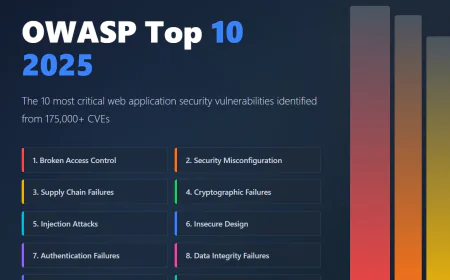
Part 7: OWASP Mobile Top 10 Testing
OWASP Mobile Top 10 2025 Vulnerabilities
M1: Improper Credential Usage
Test for hardcoded credentials in source code:
strings target-app.apk | grep -E "user|pass|key|secret|token" | head -20
Decompile and search systematically:
grep -r "password\|credential\|api.key\|bearer\|oauth" target-app-decompiled/ > credentials.txt
Fuzz authentication endpoints with invalid credentials, weak passwords, and default credentials.
Test for insecure credential storage in SharedPreferences or databases.
M2: Inadequate Supply Chain Security
Analyze third-party library versions for known vulnerabilities:
./dependency-check.sh --project "Target App" --scan target-app-decompiled/libs/
Verify library authenticity by comparing published checksums.
Test for man-in-the-middle attacks during library download or update mechanisms.
M3: Insecure Authentication/Authorization
Test weak authentication mechanisms:
```
objection -g com.target.app explore
> android sslpinning disable
> (intercept login requests in Burp Suite)
> Send multiple failed login attempts to test rate limiting
> Test for brute-force protection
```
Bypass authorization controls by manipulating user IDs or roles:
```
# Intercept request for user 123's data
GET /api/user/123/profile
# Change to unauthorized user
GET /api/user/456/profile
```
Test for privilege escalation by modifying role parameters or JWT tokens.
M4: Insecure Communication
Test for unencrypted network communication:
adb logcat -s "*" | grep -i "http://"
Verify SSL/TLS configuration using testssl.sh or ssllabs scanner.
Check for mixed content (HTTP content loaded over HTTPS connections).
Analyze certificate validation logic in decompiled code.
M5: Insecure Data Storage
Examine all data storage mechanisms:
```
# SharedPreferences
adb shell "cat /data/data/com.target.app/shared_prefs/*.xml"
# Databases
adb shell "sqlite3 /data/data/com.target.app/databases/*.db .dump"
# Files
adb shell "find /data/data/com.target.app/files -type f -exec cat {} \;"
# External storage
adb shell "find /sdcard -name "*target.app*" -type f"
# Cache
adb shell "ls -la /data/data/com.target.app/cache/"
```
Check file permissions:
adb shell "stat /data/data/com.target.app/files/*" | grep Access
Test for data in device backups:
```
adb backup -f backup.ab com.target.app
dd if=backup.ab bs=1 skip=24 | open
M6: Inadequate Privacy Controls
Analyze permission usage against functionality.
Monitor network traffic for excessive data collection.
Test for privacy leaks in error messages or logs.
Check for presence of analytics SDKs that might collect unnecessary data.
Test for proper data deletion when user accounts are deactivated.
M7: Insufficient Input Validation
Test various injection attacks on content providers:
adb shell content query --uri content://com.target.app.provider/users/ --where "id' OR '1'='1"
Test exported activities with malicious intents:
adb shell am start -n com.target.app/.LoginActivity -e username "admin' --" -e password "anything"
Test WebView interactions for XSS vulnerabilities:
# If app loads user-controlled content in WebView
# Inject: <any-standard-XSS-payload>
Fuzz intent extras and URI schemes.
M8: Insufficient Binary Protections
Test for code obfuscation by decompiling and examining if code is readable.
Check for anti-tampering mechanisms using APK modification.
Test for anti-debugging protections by attaching debuggers.
Analyze native libraries for security vulnerabilities using IDA Pro or Ghidra.
M9: Reverse Engineering
Attempt to decompile and understand application logic.
Extract hardcoded secrets from binary.
Analyze encryption implementations for weaknesses.
Identify commercial anti-reversing solutions and attempt circumvention.
M10: Extraneous Functionality
Test for hidden or undocumented API endpoints.
Examine debug code that might expose functionality not present in production.
Test for special build variants with reduced security.
Look for test accounts or backdoor functionality.
Part 8: Report Writing and Remediation
Vulnerability Assessment Structure
Document each vulnerability with:
Title and Description: Clear, non-technical summary of the vulnerability.
Severity Rating: CVSS score and qualitative rating (Critical, High, Medium, Low).
OWASP Mapping: Which OWASP Mobile Top 10 category applies.
Proof of Concept: Step-by-step reproduction instructions.
Evidence: Screenshots and proof-of-concept demonstrations.
Risk Assessment: Realistic exploitation impact and business consequences.
Remediation: Specific code fixes and security improvements.
References: Links to security best practices and standards.
Conclusion: The Path Forward
✅ Android penetration testing is both art and science. It requires deep technical knowledge, creative problem-solving, and persistence. The methodologies outlined in this guide represent current best practices based on OWASP MASTG and MITRE ATT&CK frameworks.
✅ The most critical insight is this: security is not a feature to be added at the end. It must be integrated throughout the development lifecycle. Every architectural decision, every API design choice, and every line of code written should consider security implications.
✅ For offensive security professionals, this guide provides a roadmap for comprehensive assessment. For developers, it highlights where vulnerabilities commonly emerge. For organizations, it emphasizes the importance of regular security assessment and remediation.
✅ Android's open nature makes it an attractive target for attackers. The applications you build protect user data, financial information, and personal privacy. Test thoroughly. Patch immediately. Defend comprehensively.