















Web Application Penetration Testing
Web application penetration testing identifies exploitable vulnerabilities, validates security controls, and helps protect applications, data, and users from cyber threats.


An attacker could gain access to every web application your company uses. This covers checkouts, internal tools, customer portals, and APIs. Automated scanners and firewalls capture some of the risk. However, their way of thinking differs from that of a human assailant. Web application penetration testing closes that gap.
This guide describes web application penetration testing. It goes into how it is done, the tools and techniques employed, and the mistakes teams frequently make. Before they scope or purchase a test, CISOs, IT managers, developers, and app owners are the target audience.
What Is It?
An allowed, practical security check is web application penetration testing.
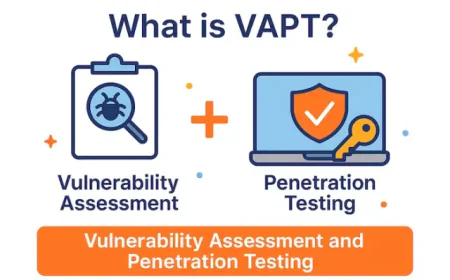
Penetration testing employs a trained human, in contrast to an automated scan. This tester verifies if a fault may actually be utilised to cause harm, examines business logic, and links vulnerabilities together. Based on recognised patterns, a scanner may identify hundreds of potential problems. Penetration testing breaks through the cacophony. It demonstrates which findings provide actual threats and how an attacker might exploit them.
Finding vulnerabilities that an attacker could exploit to steal data, increase access, cause disruptions, or breach linked systems is the straightforward objective. After that, provide the company with a precise, fact-based plan to address them.
In these tests, live systems are probed and occasionally exploited. They must therefore always operate within a precise, predetermined scope. The app owner must give the tester written consent. Most places prohibit testing without authorisation, even when done with the best of intentions. Additionally, it may unintentionally disrupt live systems.
Reasons for Conducting Web Application Penetration Testings
Web app penetration testing is conducted by businesses for multiple related purposes rather than simply one.
Identify weaknesses before attackers do. This is a penetration testing primary objective. It detects weak access controls, injection vulnerabilities, and broken logins while they can still be fixed.
Safeguard private information. Web apps frequently contain trade secrets, payment information, health information, and customer records. It can all be exposed by a single exploitable bug.
Cut overall risk. Testing the app the way a real attacker would gives teams a truer picture of their risk. This kinda beats guesswork, honestly.
Check that security controls actually work. Access rules, input checks, and login systems often look solid on paper. Penetration testing basically checks if they hold up under real pressure, not just theory.
Help with compliance needs. There are a bunch of rules and standards that ask for recurring, documented testing of apps that carry sensitive data. The precise requirements do shift a little depending on the framework and the region, so it can be a bit hard to pin down at first.
Improve how software is built. Penetration testing findings tend to show the same sort of flaw coming back again and again. That helps dev teams fix the root causes in how they build and review code, not just clear one-off bugs.
Protect trust and reputation. A public breach damages customer trust in ways that are really hard to undo. Regular testing is one way to show real care to customers, partners, and auditors.
No single test can promise an app is unhackable. It can only confirm what was checked, within the agreed scope and time; that is it.
Types of Web Application Penetration Testing
Penetration testing usually drifts into one of three models. Each model gives the tester a different amount of inside awareness, or whatever you want to call it.
Black-box testing gives the tester zero inside knowledge. No source code, no logins, no diagrams. In effect, it mirrors an outside attacker, with no inside help. It is great for checking how strong your perimeter controls are. Also, it usually costs more time, because the tester has to do the recon work that a white-box person can sort of skip.
White-box testing gives the tester full access to source code, architecture notes, and often logins for each user class. This means the tester can probe deeper into logic and code-level issues faster. Still, it does not exactly recreate the full feel of a fully blind outside attacker, so there is a difference.
Grey-box testing sits somewhere in between. The tester gets partial insight, often standard user credentials and a handful of documents, but not full access to the actual codebase. This is one of the most common picks for web app testing. It tries to balance real attacker conditions with smarter use of time, and it kinda keeps the work grounded.
In any of these models, the testing should cover a few layers of the app, not just one, you know, or else gaps show up later. Start with the Web app pages and logic, the core things users actually touch. Then the APIs, which are the backend links that mobile apps and other systems depend on, and they are often kind of under-tested compared to how exposed they are in day-to-day use.
Next comes login and access control: can users only get to what they are allowed to? And do the login and session systems resist the usual attacks, or is it easy to slip in? After that, session handling, meaning how the app tracks logged-in folks, and whether those sessions can be hijacked, or even re-used in weird ways.
Do not forget the business logic, pricing, discounts, approval steps, stuff that tools usually can not really evaluate well. And then client-side code, browser scripts, and storage. That layer brings its own risk too, and it is separate from what happens on the server.
The best mix of model and scope depends on the application’s risk level, where it is in development, and what the team already understands about its own weaker points, areas where mistakes tend to happen.
Steps and Methodologies Are Used to Perform a Web Application Penetration Test
Web app penetration testing is usually done with a pretty consistent set of steps and methodologies. It is not like someone just randomly pokes around until something breaks. There are variations, sure, depending on the provider and also which testing style is used, but the overall route is pretty similar.
First, scope plus authorisation. The testing team lines up what apps and which features are allowed, in bounds, then everything is backed by a written sign-off from the owner. No magic without permission, even if it would be useful.
Next comes recon and info gathering. The tester maps how the app is laid out, what tech stack seems to be running, and which external entry points are exposed. Sometimes this includes crawling, source review, and watching how requests behave.
Then threat modelling. After the initial picture is built, the tester figures out which attack paths and threats actually matter most here, for this exact app and the data it touches. It is more like prioritising, not just listing every possible thing.
Finding vulnerabilities is next. This is where automated tools and hands-on checks work together to spot likely weak points. Tools can move fast, but human eyes catch the weird stuff.
After that, manual testing and proof. Each major issue gets validated by hand to make sure it’s not a false positive or something overstated. If it is real, the tester can explain why and show that it is actionable.
Sometimes there is controlled exploitation. When it is within scope, the tester demonstrates real impact, like proving an auth flaw can lead to unauthorised data access. But they do it in a way that avoids harming live systems or production integrity.
Business logic checks usually come in too. The tester looks for logic flaws that tools often miss, like skipping a payment step or manipulating a quantity field to get a result the system never intended.
Then risk scoring. Findings are ranked based on how easy they are to exploit, and how much harm the business might take if someone weaponised them.
Finally, reporting. The results get documented with clear steps to reproduce, solid proof, business context, and guidance on what to fix and how to verify it.
And after fixes go in, there is retesting. A follow-up check confirms the weaknesses are really closed, not just patched enough to pass a quick scan.
A few known frameworks sort of shape this whole process. The OWASP Web Security Testing Guide (WSTG) gives a detailed, step-by-step way just for web apps, and it goes into logins, sessions, input checks, and a bunch of other stuff. The Penetration Testing Execution Standard (PTES) provides a broader engagement lifecycle that works across multiple kinds of testing, not only one narrow area. NIST guidance, including NIST SP 800-115, offers a more top-down security testing framework that a lot of compliance-focused teams rely on. And when a test needs to mimic more advanced attacker behaviour, testers sometimes lean on MITRE ATT&CK to map realistic tactics. These frameworks are not the same at all; they also do not fully overlap. Most skilled testers mix pieces of several, rather than just following one thing all the way.
What Tools Are Used for Web Application Penetration Testing?
Tools speed up the work. They do not replace a tester's judgment.
Burp Suite is one of the most used platforms for web application testing. It works kind of like a proxy that lets testers look at and edit web requests in real time. It also brings in built-in scanning and session tools. The real strength here is the blend of automation with that careful manual control.
OWASP ZAP is a free open-source tool with similar proxy and scanning abilities. A lot of teams start with it because it helps build internal testing skills, kind of from the ground up.
Nmap is a network mapping tool used early, mostly to spot open ports, running services, and the infrastructure that sits behind the app.
Nikto performs automatic checks for known server misconfigurations and outdated software. This helps testers flag easy wins fast, without too much hassle.
Nuclei uses a big library of community templates to scan across many targets. That broad coverage thing is handy when you need fast results and wide eyes on the surface.
ffuf is a fast web fuzzer. It uncovers hidden folders, files, and settings that do not show up anywhere obvious, usually leading to forgotten admin pages or weird test environments.
SQLMap, when it fits the job, automates finding and confirming SQL injection flaws. It is a focused tool, narrow in scope, but very good at that one job type.
Together, these tools help testers move fast. But automated tools, they notice patterns, not context. A tool can not really decide if a weakness is truly exploitable in this app, or if a workflow can be gamed, or even if small issues stack into one big risk. That part, the judgment call, is what a skilled human tester brings. And honestly, that is the difference between a tool-made report and a real penetration test.
Common Pitfalls in Penetration Testing
-
Relying only on scanners. Even good testing programs run into problems that cut their value, so you end up with less benefit than you expected. Depending only on scanners can be a bit of a trap. The scan output alone turns into this long parade of unproven findings, low context, and no real check against risk you’d actually care about.
-
Poorly defined scope. Then there is the scope thing: poorly defined scope. A vague scope or one that is way too narrow leaves gaps and holes. Testers may just miss key features, not because they did a bad job but because nobody included them in the first place.
-
Weak authorisation. Authorisation is another big one. Testing without clear written permission creates legal risk, and it can also trigger an unwanted incident response.
-
Skipping business logic. Some teams accidentally skip the heart of the product: the business logic. Logic flaws are often invisible to tools, like skipping a payment step, so you still need focused manual work to catch that kind of problem.
-
Ignoring APIs. APIs also get ignored a lot. Ignoring APIs means you leave in the dark the parts that often carry as much risk as the front end, but somehow they get left out of the scope talks.
-
Missing login and access flaws. Login and access flaws are also frequently missed in practice. Missing login and access flaws stay among the most exploited issues, yet testing them properly needs careful, steady effort, not just quick runs.
-
Not checking findings by hand. Do not forget the human step. Not checking findings by hand turns scanner output into truth too fast. That wastes fix time on non-issues, and it hurts trust with the people who have to fix things.
-
Not ranking by business risk. Finally, ranking by business risk matters more than many teams think. Not ranking by business risk can mean a high-severity issue on a low-value tool gets treated like it is the priority, when a “medium” problem on a system with sensitive data might be the real trouble.
-
Weak reports. Weak reports make everything harder too. Weak reports, missing clear steps and business context, make it difficult for dev teams to act.
-
Skipping retest. And then skipping retest seals the deal; without retesting, you never really confirm the fix truly closed the gap; it might just have hidden it.
Teams that avoid these pitfalls usually get far more value from testing, no matter who runs it.
Top Web Application Vulnerabilities to Watch in 2026
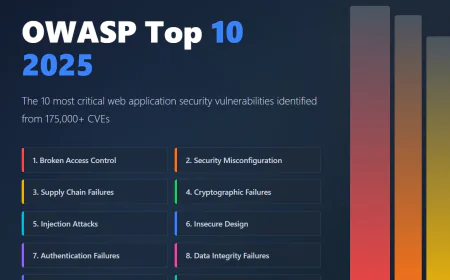
The current benchmark for app security risk is the OWASP Top 10 2026, finalised in early 2026. It is kind of the first big refresh to the list since 2021, and yeah, it shifts how risk gets ranked across modern apps in a way that feels different.
Broken access control still keeps the first position. It also now includes server-side request forgery (SSRF), basically cases where an app can be persuaded into sending requests it should not, on an attacker’s behalf.
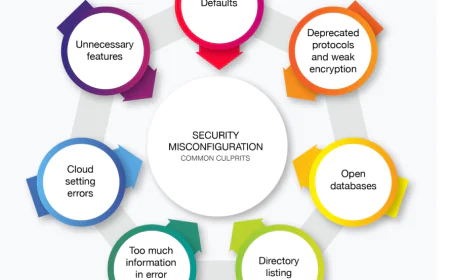
Security misconfiguration moved up to second place. This one covers weak default settings, services that are exposed but not really needed, and setups that are kinda sloppy in cloud or container environments.
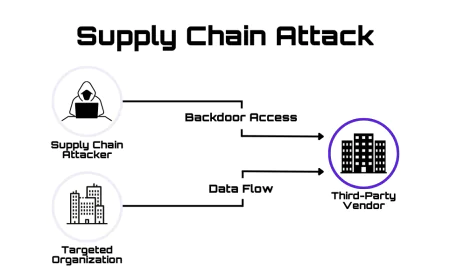
Software supply chain failures are brand-new as a category. It points to the growing danger from third-party code, dependencies, and build pipelines that attackers can target before the app is even deployed, so the impact arrives early, without much warning.
Cryptographic failures and injection are older categories, but they are still very relevant. They cover situations where sensitive data is not properly protected in transit or at rest, or when untrusted input slips into a system without the usual checks and constraints.
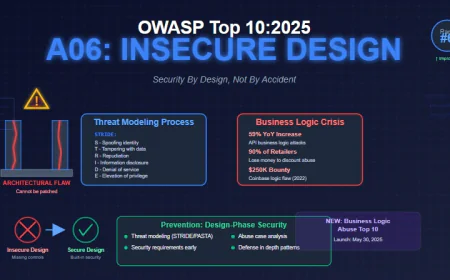
Insecure design highlights that some issues come from early architecture decisions, not only from pure coding bugs or something like that.
Authentication failures include weak password recovery, missing multi-factor login, and weaker session handling. These remain common attacker goals, often exploited because they are easier than fancy vulnerabilities.
Software or data integrity failures, security logging and alerting failures, and a new mishandling of exceptional conditions category round out the list. That last part is more about how apps behave when things get weird or unexpected, not only when everything runs normally.
Two patterns stand out in the updated list. Access control stays the most exploited flaw type, and there is more risk now coming from outside the application's own code more from configuration, dependencies, and the supply chain too. API risk, covered more deeply by the separate OWASP API Security Top 10, also still needs close attention, since so much app logic now runs through API endpoints.
Open-Source Security Testing Tools for Web Applications
Beyond paid platforms, a few free and open-source tools can still give teams real testing muscle, but every one comes with its own weird little trade-offs you kinda have to accept.
OWASP ZAP is probably the most complete open-source option for general web application scanning and hands-on manual testing. The community around it stays active, so it gets refreshed often. Its automated scans do provide early coverage that is genuinely useful, though, like any scanner, it can still overlook issues that depend on context or specific behaviour.
Nmap is really good at surfacing infrastructure details and enumerating services. But it does not evaluate application-layer logic at all, so it tells you what is exposed, not necessarily whether those pieces can be exploited.
Nuclei runs quick template-driven scans, and that makes it solid for catching known weakness patterns across a lot of targets. The catch is that its results only go as far as the template library you are using. If something is newly introduced or very app-specific, it may simply not show up.
Nikto helps a lot when you want to rapidly flag outdated software and common server misconfigurations. Still, the checks are pretty surface-level compared with a full, deeper test flow.
ffuf is excellent for discovering hidden paths and odd settings. But it is primarily a recon/enumeration utility, not a direct vulnerability-finding engine by itself.
These free tools are a real part of any team’s toolkit, honestly. They work well for ongoing lower-stakes internal checks, or even as a first pass before you do a deeper test. But they can not replace the method, the business context, and the manual proof that real penetration testing brings, not really. A tool shows what is technically sitting there. A skilled tester shows what actually matters, how it can be used against you and how to fix it, so the fix actually holds.
Conclusion
Web application penetration testing gives security leaders something that plain scanning kind of can not a real, evidence-based view of how someone could breach their apps, along with a straightforward route to close those holes. It usually works best as a sort of set, repeated piece inside a broader security program. Ideally, it stays grounded in established methods, steered by current guidance like the OWASP Top 10, then actually pushed to completion with concrete fixes and retesting, not just a report and done.
If you are trying to pick a web application penetration testing service for your business, take a look at how the provider sets the scope, how much of the work is done by hand versus automated tooling, and whether a retest is part of the standard package. IntelligenceX delivers web application penetration testing as part of a larger offensive security practice. The team can help you walk through the scope and the approach for your particular app. You can reach out to the team so you can talk through what you need.
FAQs
What is web application penetration testing?
Web application penetration testing is basically an authorised security review where a competent tester kind of mimics real-world attack behaviour on a web app to spot and verify weaknesses that could actually be leveraged by attackers. The idea is you catch it before someone else does, and yes, it is supposed to be planned and approved, not random.
How often should web applications be penetration tested?
In many organisations, it is at least annually, but also after big application changes, new feature launches, or even infrastructure updates that might quietly add new risk. If the application is higher risk, or it lives in a regulated environment, the testing cadence is often more frequent, like every 6 months sometimes, depending on what is going on.
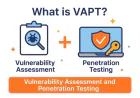
What is the difference between vulnerability scanning and penetration testing?
Vulnerability scanning vs Penetration testing. Vulnerability scanning usually relies on automated checks to raise alerts based on known patterns and signatures, so it can be fast, but it might be overly inclusive or not confirmed. Penetration testing goes further because a human, with experience, will validate what is real, confirm whether it is exploitable, and then explore the consequences. Also, it can reach problems that scanners often miss, like business logic issues.
What kinds of vulnerabilities can be found in a web application penetration test?
A good engagement can uncover things like broken access control, gaps in authentication or session management, injection-related vulnerabilities, insecure security settings, and those tricky business logic flaws. What you will see depends on the app itself and on the agreed boundaries, because scope matters.
How long does a web application penetration test take?
It really depends on size and complexity. Usually, most engagements involve around one to three weeks of hands-on testing; then there is additional time for reporting and, hopefully, a remediation retest so you can confirm the fixes actually worked.