

















Broken Access Control (A01:2025): The #1 OWASP TOP 10 Vulnerability - Complete Guide
In-depth analysis of Broken Access Control vulnerabilities covering insecure direct object references (IDOR), vertical and horizontal privilege escalation, parameter tampering, URL manipulation attacks, real case studies including Instagram, GitHub, and Optus breaches, testing methodologies, and comprehensive mitigation strategies.

What Is Broken Access Control and Why Is It #1?
Access control is simple in concept: ensure that only authorized users can access authorized resources and perform authorized actions. When this fails, attackers gain access to data and functionality they shouldn't have.
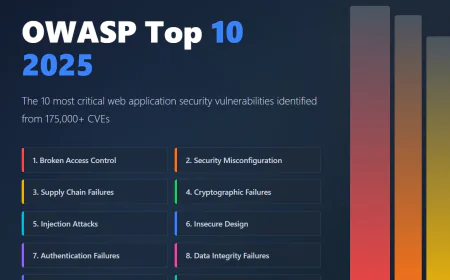
Broken Access Control remains the #1 vulnerability in the 2025 OWASP Top 10 for a critical reason: it's everywhere.
According to OWASP research, 100% of the applications tested were found to have some form of broken access control. This isn't rare. This is universal.
In the previous OWASP Top 10 (2021), 94% of applications were tested for some form of broken access control with the average incidence rate of 3.81%, and it has the most occurrences in the contributed dataset with over 318k documented instances.
The financial impact is staggering. A single Broken Access Control vulnerability can expose millions of records and compromise entire systems.
Understanding the Difference: Authentication vs Authorization
Before diving deep, clarify the distinction.
Authentication answers: "Who are you?" A user proves their identity with a password, fingerprint, or token. Authentication is about identity verification.
Authorization answers: "What are you allowed to do?" After proving identity, the system decides what data you can access and what actions you can perform.
Broken Access Control is fundamentally an authorization failure. The system successfully authenticates you, but then fails to enforce authorization properly, allowing you to access resources beyond your intended permissions.
This distinction matters because many developers focus heavily on authentication (passwords, 2FA, sessions) while neglecting authorization checks. They ensure the gate has a lock but fail to verify that each room inside the gate has appropriate doors and guards.
Major Types of Broken Access Control Vulnerabilities
1. Insecure Direct Object Reference (IDOR)
IDOR is the most common form of Broken Access Control. It occurs when the application uses user-controllable identifiers to fetch objects without verifying ownership.
Real Example:
You log into your banking app and view your account:
And the application doesn't verify you own account 12346, you now see someone else's transactions. This is IDOR.
Why it happens:
Developers assume that because you're logged in, you automatically have permission to access any resource you request.
Developers fail to implement ownership checks on the server side.
Front-end restrictions (UI hiding other user IDs) create a false sense of security.
Real-world example: Instagram (2019): An IDOR vulnerability enabled attackers to view private posts and stories by manipulating user IDs in API requests.
2. Vertical Privilege Escalation
Vertical escalation means a regular user gains higher privileges (like admin access).
Real Example:
An e-commerce application has an admin panel:
https://store.com/admin/users
https://store.com/admin/settings
The application checks your role in the URL, but only on the client side. If you directly access:
https://store.com/admin/users
And the server doesn't verify your admin role, you gain admin access. A regular user becomes an administrator. Another example: A password reset function accepts a parameter:
https://insecure-website.com/reset-password?id=789
If an attacker changes this to an admin's ID:
https://insecure-website.com/reset-password?id=1
And the server doesn't verify the request came from the admin (or that the attacker is authorized to reset that admin's password), the attacker resets the admin password and gains full system control.
Real-world example: GitHub (2022): A privilege escalation bug allowed users to gain higher access levels within repositories without authorization.
3. Horizontal Privilege Escalation
Horizontal escalation means accessing resources of other users at the same privilege level. Real Example: You're a regular user who can view your profile:
https://app.example.com/profile/view?user_id=100
By changing the user_id, you view other users' profiles:
https://app.example.com/profile/view?user_id=101
https://app.example.com/profile/view?user_id=102
If the application doesn't verify you own these profiles, you see private information (email, address, phone number) of thousands of users. This is horizontal escalation.
Real-world example: Optus (2023): IDOR allowed a malicious hacker to directly access and enumerate nearly 10 million telco customer records.
4. Parameter Tampering
Parameters in URLs or form fields control what data is displayed or what actions are performed. Attackers modify these parameters to bypass authorization.
Real Example - Price Manipulation:
An e-commerce site allows you to modify your cart quantity:
POST /cart/update
product_id=789&quantity=5&price_per_unit=10&total_price=50
An attacker modifies the total_price:
POST /cart/update
product_id=789&quantity=5&price_per_unit=10&total_price=1
If the server trusts the client-sent price instead of calculating it server-side, the attacker purchases a $500 item for $1.
Real Example - Access Control Bypass:
A parameter indicates the requesting user's role:
GET /data/sensitive?user_role=admin
An attacker changes it:
GET /data/sensitive?user_role=user
Or manipulates authorization tokens directly:
GET /api/admin-panel?role=admin&access_token=anything
If the server doesn't validate these parameters cryptographically, the attacker bypasses authorization.
5. Session Management Failures
Broken access control sometimes stems from inadequate session management.
Real Example:
After logging in, you receive a session cookie:
Cookie: session_id=abc123
An attacker with knowledge of how session IDs are generated can predict or brute-force valid session IDs:
session_id=abc122
session_id=abc121
session_id=abc120
Once they find a valid session ID, they can hijack another user's session and access their account.
Another scenario: After changing permissions or logging out, the old session remains valid. An attacker intercepts an old session before logout and uses it to bypass the new restrictions.
6. Missing Access Control on Sensitive Actions
Some applications fail to enforce access control on critical operations. Real Example:
Deleting a user account might be protected:
POST /api/user/delete requires authorization
But modifying user roles might not be:
POST /api/user/update-role might not check authorization
An attacker calls the unprotected endpoint:
POST /api/user/update-role
user_id=1&new_role=admin
And gains admin access because this endpoint lacks authorization checks.
7. API Endpoint Authorization Bypass
Many modern applications are API-first. APIs often lack proper authorization. Real Example:
The web UI has proper authorization checks. An admin viewing reports is restricted:
GET /ui/reports (requires admin role - enforced)
But the backend API endpoint is exposed without the same checks:
GET /api/reports (no role check - accessible to anyone)
An attacker bypasses the UI restrictions by calling the API directly and accessing reports they shouldn't see.
Real Example - REST Method Confusion:
A resource is protected for GET (read) but not for POST (write):
GET /api/settings/modify → Requires admin (authorization enforced)
POST /api/settings/modify → No check (authorization missing)
An attacker sends a POST request instead of GET and gains unauthorized modification capabilities.
Real-World Breach Case Studies
Instagram Private Content Exposure (2019)
An IDOR vulnerability in Instagram's API allowed attackers to view private posts, stories, and direct messages by manipulating user IDs. Attackers accessed information they shouldn't have from millions of users. The vulnerability exposed the private content of anyone on Instagram simply by knowing (or guessing) their user ID.
Optus Data Breach (2023)
A massive IDOR vulnerability allowed attackers to access driver's license numbers, email addresses, phone numbers, and other personal information of nearly 10 million Optus customers. The attacker enumerated customer IDs and accessed each customer's records directly through an API endpoint.
GitHub Privilege Escalation (2022)
Users could escalate their privileges within repositories without authorization. By manipulating parameters or accessing unprotected endpoints, regular users gained access to functions that should have been restricted to repository administrators.
How to Test for Broken Access Control
Step 1: Map the Application
Identify all endpoints, pages, and functions. Note which ones should have authorization requirements:
Admin pages, User profile pages, Settings pages, API endpoints, Data export functions, Payment processing, Account management.
Step 2: Test Without Authentication
Try accessing protected resources without logging in. If you can still access them, authorization is missing entirely.
Step 3: Test with Different User Roles
Log in as different user types (admin, regular user, guest):
Try accessing resources belonging to other users
Try accessing admin functions
Try modifying other users' data
Try escalating your own role
Step 4: Parameter Tampering
Modify URL parameters systematically:
Change user IDs: ?user_id=123 → ?user_id=456
Change role parameters: ?role=user → ?role=admin
Change object IDs: ?account_id=789 → ?account_id=790
Change tokens: Modify authorization tokens slightly and test if the application accepts them
Step 5: Test API Endpoints Separately
Don't assume API security matches UI security. Test all API endpoints independently:
Call REST endpoints with different HTTP methods (GET, POST, PUT, DELETE)
Test with missing or invalid authorization headers
Test with cross-user requests
Step 6: Test Post-Login Authorization
Even after successful authentication, verify that authorization is properly enforced throughout the application:
Access user resources belonging to other users
Access hidden URLs not shown in the UI
Access archived or deleted resources if IDs are predictable
Modify sensitive user information (email, role, permissions)
Mitigation and Prevention Strategies
Principle of Least Privilege (Deny by Default)
Users should have no permissions by default. Permissions are granted only as needed.
Example - Bad Implementation:
if (is_authenticated) {
grant_full_access(); // Default to full access
}
Example - Good Implementation:
if (is_authenticated) {
check_specific_permission(user, requested_resource);
grant_access_only_if_authorized(); // Default to deny
}
Server-Side Authorization Checks
All authorization checks must be performed on the server. Never trust client-side checks.
Bad Example (Client-Side Only):
// Frontend (can be bypassed)
if (user.role === 'admin') {
show_admin_panel();
}
Good Example (Server-Side):
// Backend (cannot be bypassed)
app.get('/admin-panel', (req, res) => {
if (!req.user || req.user.role !== 'admin') {
return res.status(403).json({ error: 'Forbidden' });
}
// Display admin panel
});
Role-Based Access Control (RBAC)
Assign users to roles. Roles determine what actions they can perform. Example:
Role: Admin → Can view all data, modify settings, delete users
Role: Manager → Can view team data, modify team settings
Role: Employee → Can view own data only
Attribute-Based Access Control (ABAC)
More granular than RBAC. Access decisions based on attributes (user attributes, resource attributes, environment attributes). Example:
Allow access if:
user.department == resource.department AND
user.clearance_level >= resource.required_level AND
request.time_of_day >= 9AM AND
request.time_of_day <= 5PM AND
request.ip_address in approved_networks
Verification of Ownership
Before returning or modifying any resource, verify the requester owns it. Example:
@app.route('/profile/
Centralized Authorization Logic
Don't scatter authorization checks throughout the codebase. Centralize them in middleware, decorators, or service layers. Example - Using Decorators:
@require_role('admin')
def delete_user(user_id):
# This function only executes if user has 'admin' role
User.query.get(user_id).delete()
@require_role('manager')
def view_team_data():
# This function only executes if user has 'manager' role
return TeamData.query.all()
Logging and Monitoring
Log all authorization failures and suspicious access patterns. Example:
[WARNING] User 123 attempted to access profile 456 (not owned)
[ERROR] Multiple failed authorization attempts from IP 192.168.1.100
[CRITICAL] User 789 attempted to access /admin without admin role
Alert when:
✅ Same user tries multiple unauthorized accesses
✅ User attempts to access resources outside their role
✅ Unusual access patterns occur
✅ Failed authorizations spike
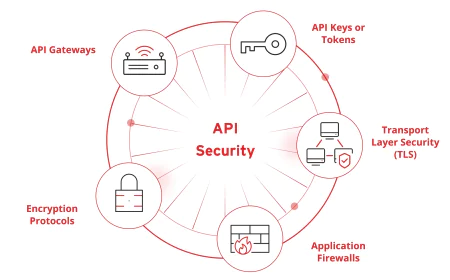
API Security
✅ APIs require special attention for authorization:
✅ Implement consistent authorization across all endpoints
✅ Verify authorization on every API method (GET, POST, PUT, DELETE)
✅ Use proper HTTP status codes (401 for authentication, 403 for authorization)
✅ Never expose sensitive IDs directly in URLs; use opaque references
✅ Test APIs independently from UI
Conclusion
Broken Access Control remains the #1 OWASP vulnerability because access control is foundational to all security. When it fails, everything else fails.
✅ The fix isn't complex. It requires:
✅ Proper design and planning of access control
✅ Centralized, consistent authorization checks
✅ Server-side verification of every access request
✅ Regular testing and monitoring
✅ A culture where authorization is considered from the beginning, not bolted on later.